
Viz Mosart User Guide
Version 3.9 | Published November 04, 2019 ©
Viz Mosart User Interface
The Viz Mosart GUI (Multi GUI) is the main control interface for operators. It’s quite flexible and can be customized to suit your workflow. You can run the GUI on the Mosart server or you can connect one or more GUI’s to the Mosart server over the network.
One quite common customization is to have the shortcuts on a separate touch-enabled screen, for details see Managing your Workspace.
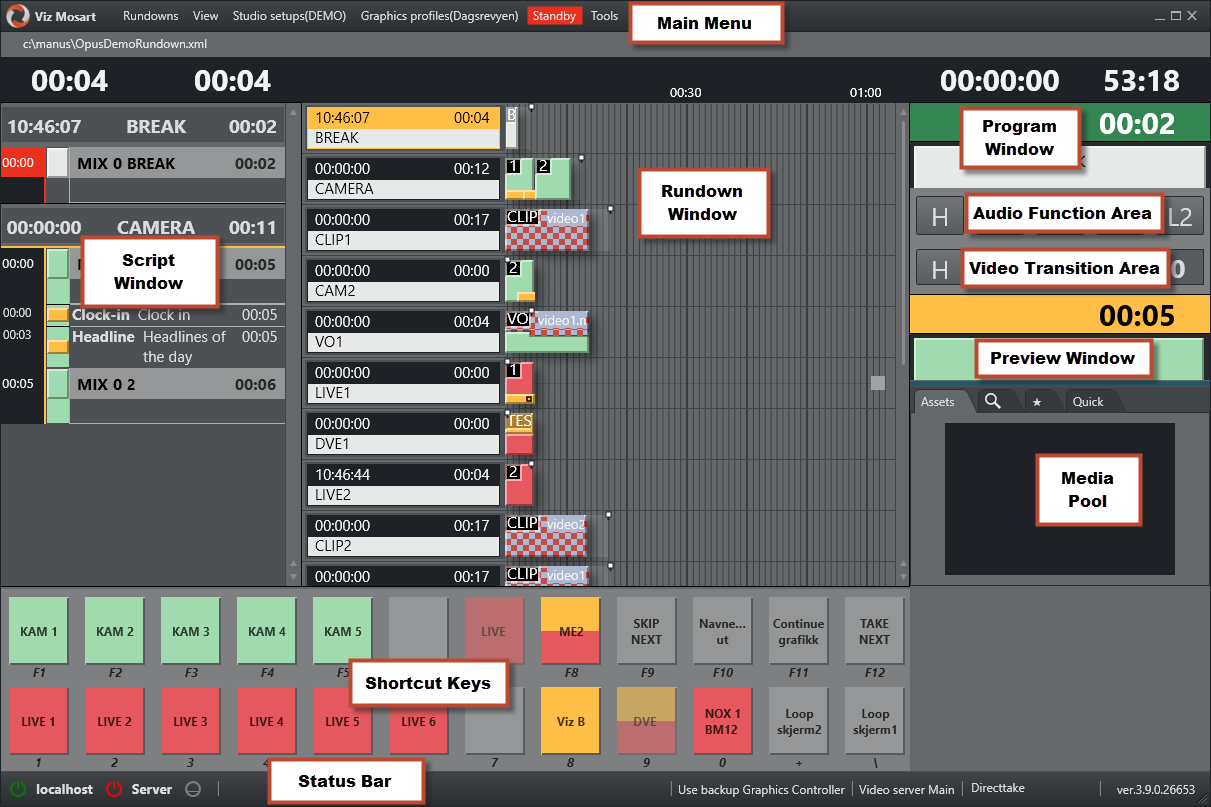
The areas of the Viz Mosart GUI are described in the following sections:
-
Transition Area
In addition, the following editors/panels can also be opened: