
Viz Mosart User Guide
Version 3.9 | Published November 04, 2019 ©
Running Viz Mosart in Browse Mode
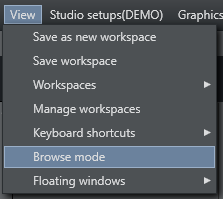
Any Viz Mosart GUI can be put into browse mode.
To activate or deactivate Browse mode in a GUI, select View > BrowseMode.
When a GUI is in browse mode, its user is only able to browse the rundown and click on stories to view their contents in the Script and Assets windows. All actions and shortcuts affecting the rundown or connected equipment are disabled. The Browse Mode menu item can also be removed from the drop-down menu