
Viz Mosart User Guide
Version 3.9 | Published November 04, 2019 ©
Creating Keyboard Shortcuts
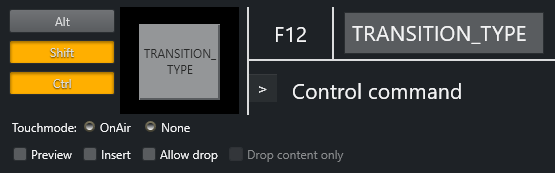
For all types of keyboard shortcuts, the top line of the Keyboard editor is identical.
To associate a shortcut with specific keys, click the center square (F12).
A red, pulsating circle appears. Press the desired keys. The main key will be entered into the square, while any modifier keys will be highlighted to the left. The name to appear on the shortcut button itself can be entered in the rectangle to the right.