
Viz Mosart User Guide
Version 3.9 | Published November 04, 2019 ©
Quick Editor
To open the Quick Editor, double-click in the info area of a story, on a template or to the right of the last element in a story.
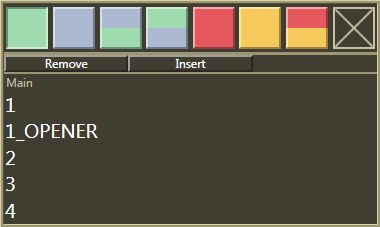
Using this window makes it possible for the user to change the template type and variant of the template clicked. In addition, the template can be removed entirely, or a new one can be inserted after the template clicked.
If you are using a predefined template set from the NCS, this will be shown below the Remove button when double clicking a template. Only templates from that set will then be shown in the Quick Editor.
Note:
Any stories edited in this way must be locked using the Lock Story from NCS Update command, or they will be deleted on the next reload/resync of the rundown or when the story is changed in the NCS.