
Viz Mosart User Guide
Version 3.9 | Published November 04, 2019 ©
Timing Display
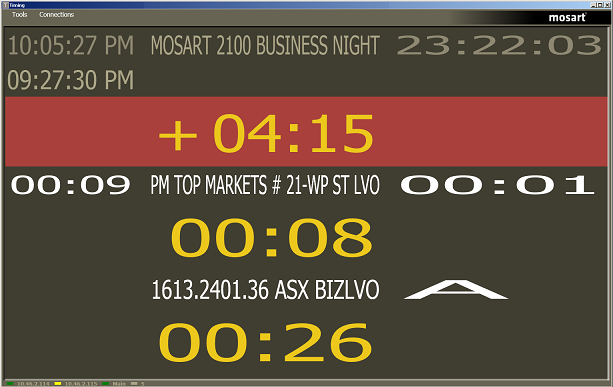
The Timing Display (WPFTimingInfo) is used to provide timing information to the studio control room and the studio floor.
The timing display is synchronized to the current rundown in the Viz Mosart GUI, and you can run as many customized Timing Display applications as you need for the production.
The Timing Display also has a customizable audio countdown feature that can be connected to an in house intercom system or a direct monitor speaker in the control room or studio floor. It can be enabled to count on certain events.
Viz Mosart provides an English voice set for use with the Timing Display, however the broadcaster may decide to localize the voice set by recording their own.
For example, the Timing Display can be running on the studio floor and be connected to the in house intercom system to provide an audible count to the presenter’s earpiece. Another Timing Display can be running in the control room with a monitor speaker for countdown out of packages for the producer to keep current with the production.