
Viz Mosart User Guide
Version 3.9 | Published November 04, 2019 ©
Looping Part of the Rundown
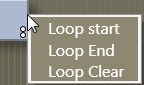
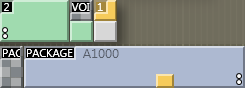
To loop a part of the rundown you can set the loop in/out by right clicking on the items you want to loop and select Loop Start or Loop End.
The start and end of the loop are displayed by two white dots. To remove the loop, select Loop Clear.
When entering the first item in a loop Viz Mosart will go into auto-take next mode. Auto-take means that Viz Mosart will automatically take the next element in a rundown. Normally the operator will have to manually take the next element.