
Viz Trio User Guide
Version 3.2 | Published July 11, 2019 ©
Import Viz Engine Archive
This option will import the scenes found in the selected Viz Engine Archive (.via) files into the Graphic Hub. Imported scenes that are already in use by the current Trio Show will automatically trigger a re-import of the corresponding template in Trio.
To access the feature click on File > Import Viz Engine Archive.... This process can also be triggered through macro command gui:import_viz_archive, command details can be found here.
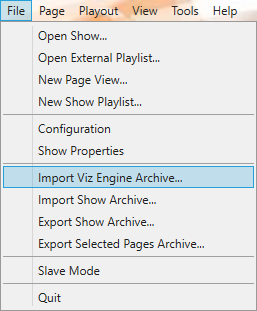
Clicking on the menu option will trigger the file open dialog to select the Viz Engine Archive (.via) files from disk. The user can select multiple .via files to import. If multiple .via files are selected to import then the import process first examines the archives to find any potential conflicts between the archives. If there is a conflict between archives then the user is prompted with the conflict to take overriding permission like in the image below:
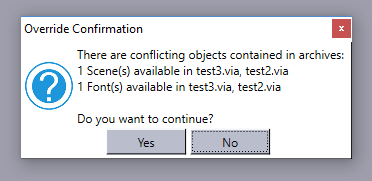
Clicking Yes to continue starts the import process. Otherwise, the process is stopped and nothing is imported.
A progress bar is displayed on top of the master template list as follows:


The user can stop the import process anytime clicking on the Stop  button found at the right side of the progress bar.