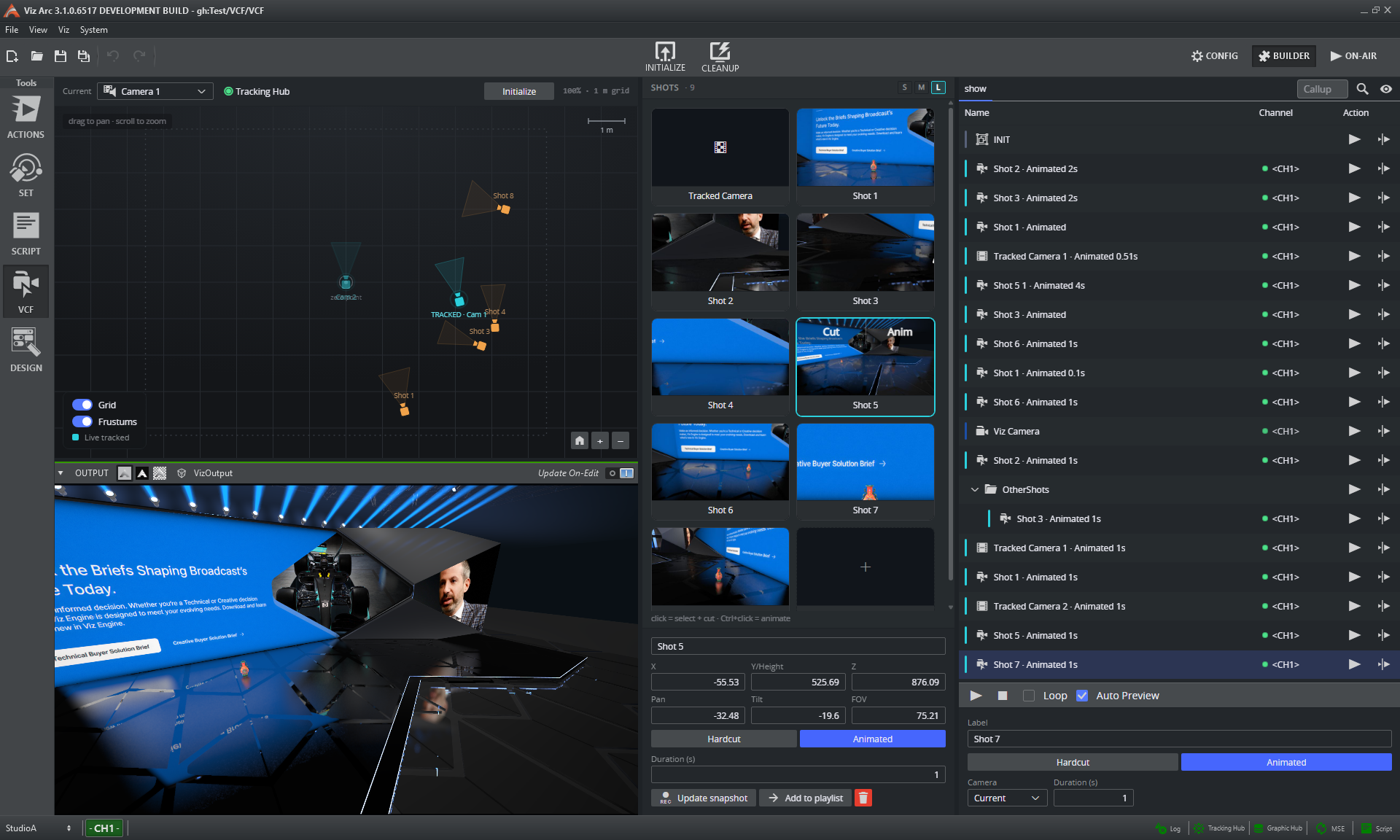
 | VCF - Virtual Camera FlightVirtual Camera Flight is a brand-new way to create and play back smooth virtual camera moves inside a Viz Engine scene. On a visual, top-down map of the studio, operators drop camera positions, aim them by dragging and gliding (or hard-cutting) the On Air camera between them; Viz Arc builds and manages the underlying director rig automatically. VCF blends seamlessly between a real, tracked camera and the virtual camera, moves can be fired live or sequenced in the playlist, and the complete VCF screen is available both in the desktop application and in the web interface. |
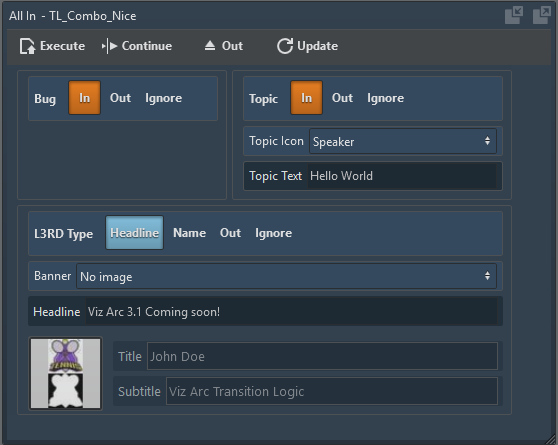 | Transition Logic SupportViz Arc now supports Transition Logic: templates can be created from one or multiple foreground scenes, letting independent layers such as lower thirds, bugs and tickers animate in and out without interfering with each other. Playout is handled through the Viz Media Sequencer, with the MSE channel selectable per template and shown in the playlist's Channel column. |
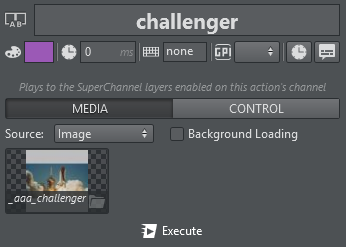 | SuperchannelsViz Arc drives Viz Engine Superchannels, with full support for Viz Arc templates: Graphics are prepared on the hidden pending side and taken On Air with a seamless transition (even complete scene changes without a visible loading frame). The new Superchannel action additionally loads images, live inputs, web pages or clips, with direct toggle, swap and clear control. |
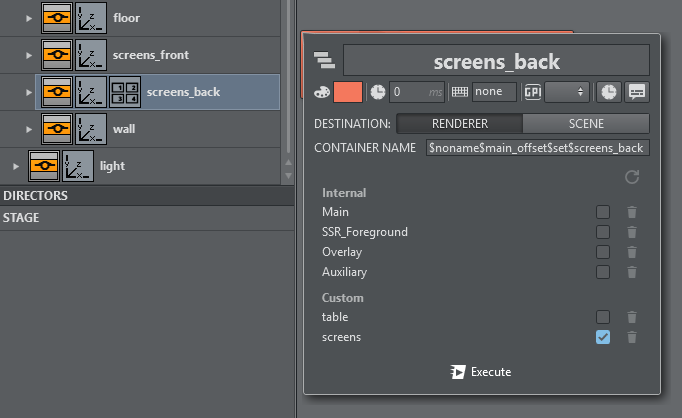 | Layer ActionsTwo new actions integrate Viz Arc with the Viz Engine compositing layers: The Layer action toggles which of the scene's layers a plugin-carrying container contributes to (created by dragging the container straight from the scene tree) while the Scene Layers action switches the visibility of whole compositing layers scene-wide. |
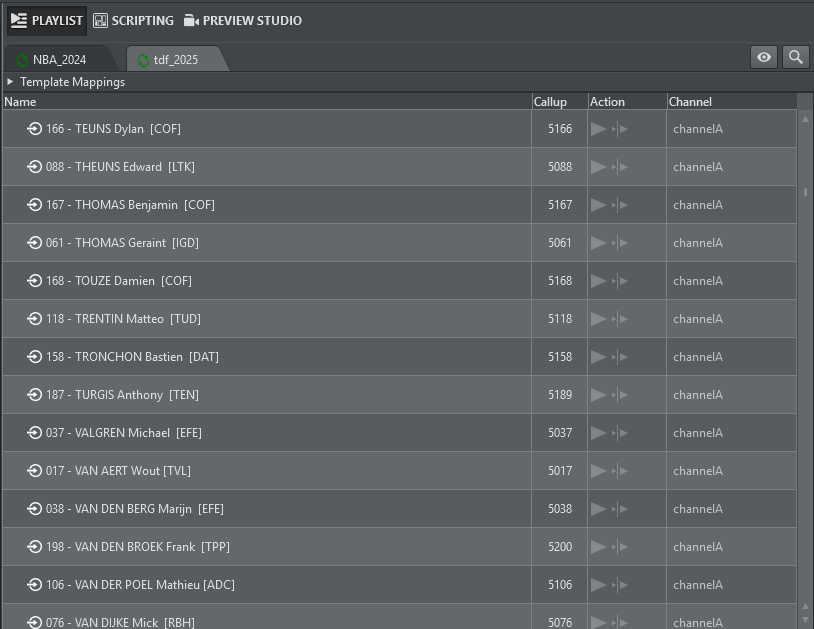 | Playlist ImprovementsThe playlist takes a big step forward in 3.1. MSE shows open as tabs in the Viz Arc playlist: pages appear as rows with their page number as a Viz Trio-style callup code, play out through mapped Viz Arc template actions, and new pages can be created by dragging a template payload onto the tab. Beyond that, every playlist element can carry a numeric callup code, working like page numbers in Viz Trio: type the code on the numeric keypad to jump to an element or execute it in one step (also available to external controllers via the Web API endpoint |
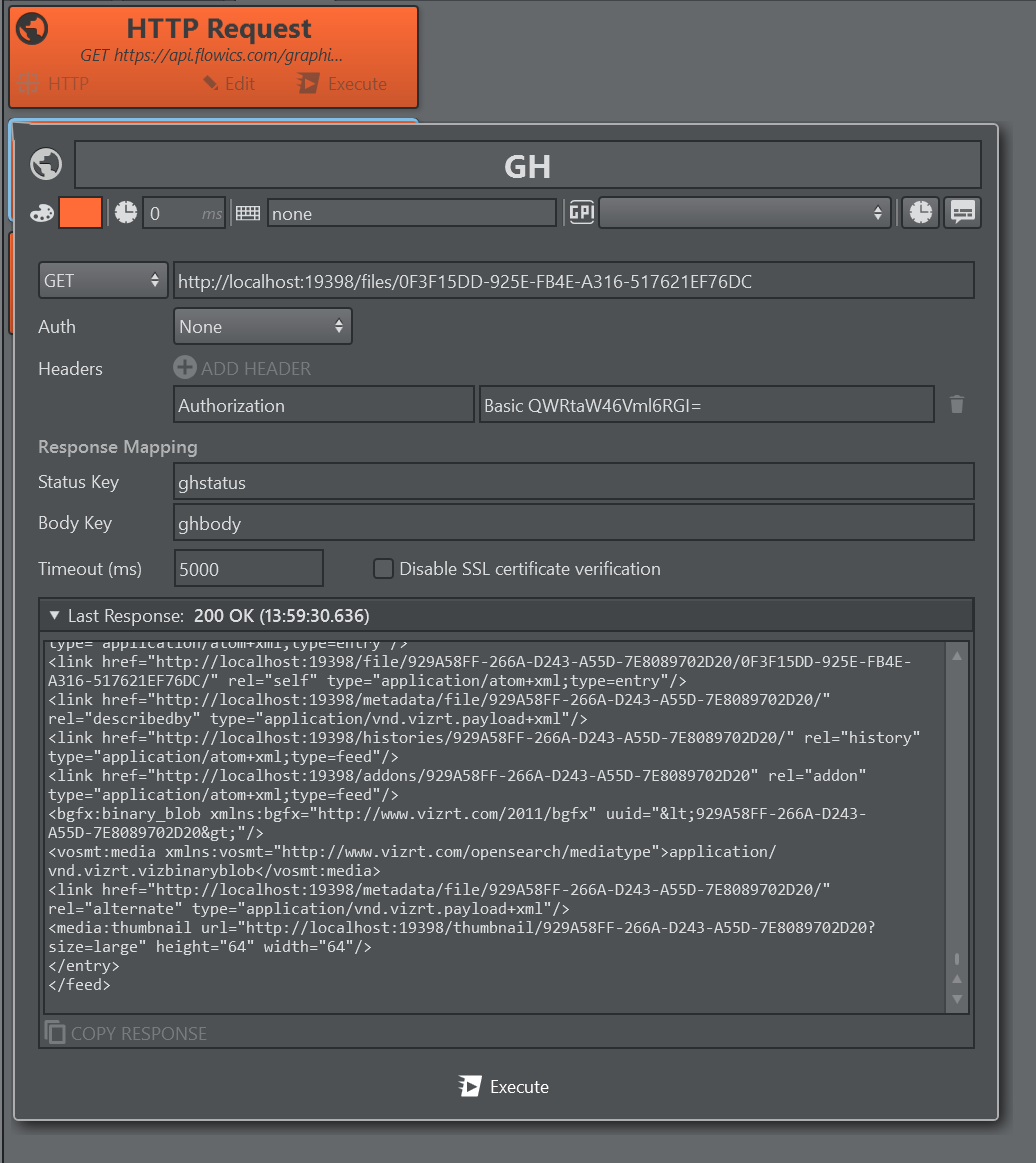 | HTTP Request ActionThe new HTTP Request action calls external web services and REST APIs directly from the action canvas: GET, POST, PUT, PATCH and DELETE with custom headers, body and authentication. Requests are fully dynamic: |
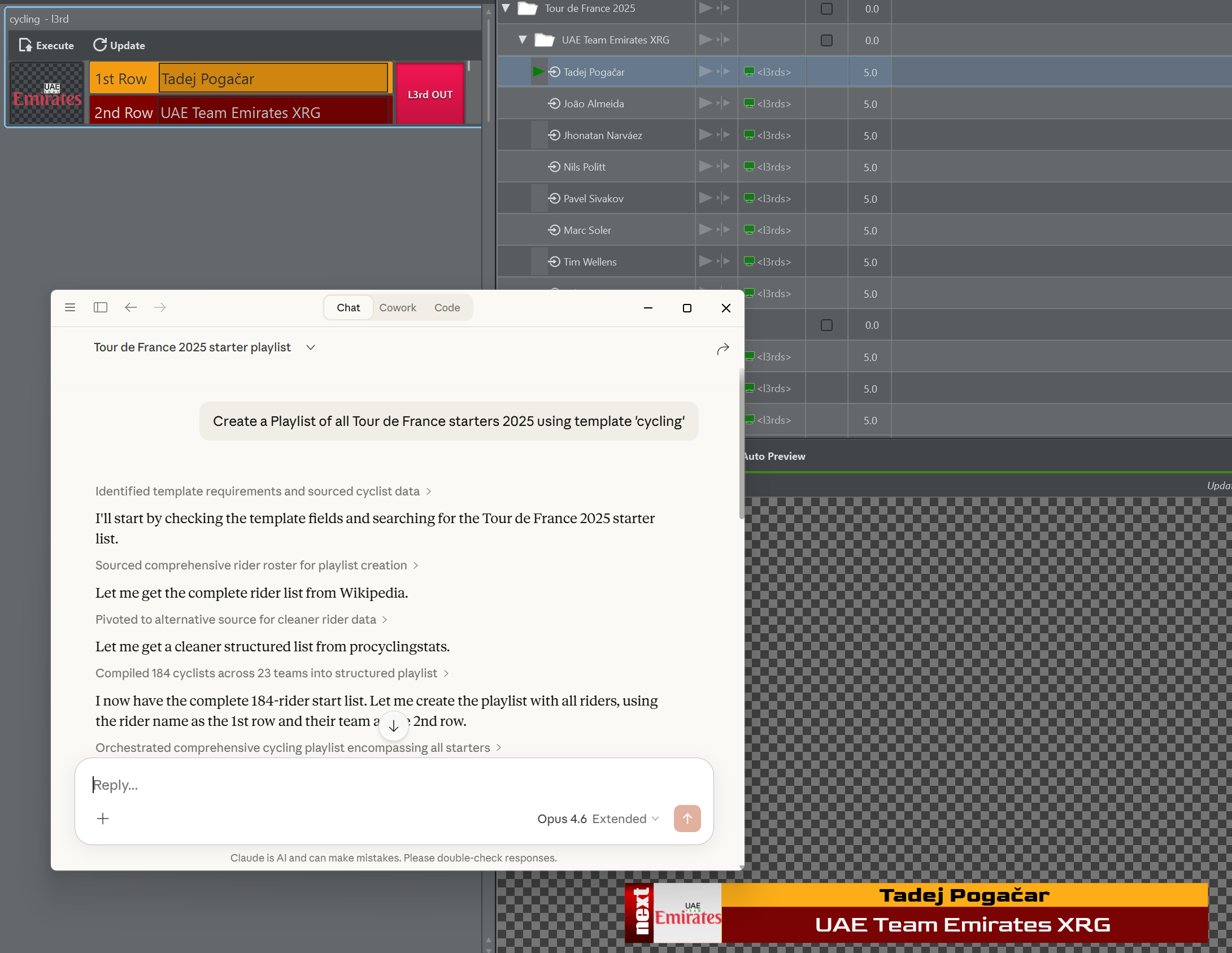 | AI ImprovementsThe Viz Arc MCP server can now create and manage complete playlists: describe the desired rundown and an AI assistant builds it from your templates (adding items, filling payloads, renaming, reordering and setting durations). New template inspection tools let the assistant read a template's field structure so generated payloads match exactly, and a snapshot and layout-analysis toolset lets it verify its own work visually, converging on a clean, operator-ready template. |
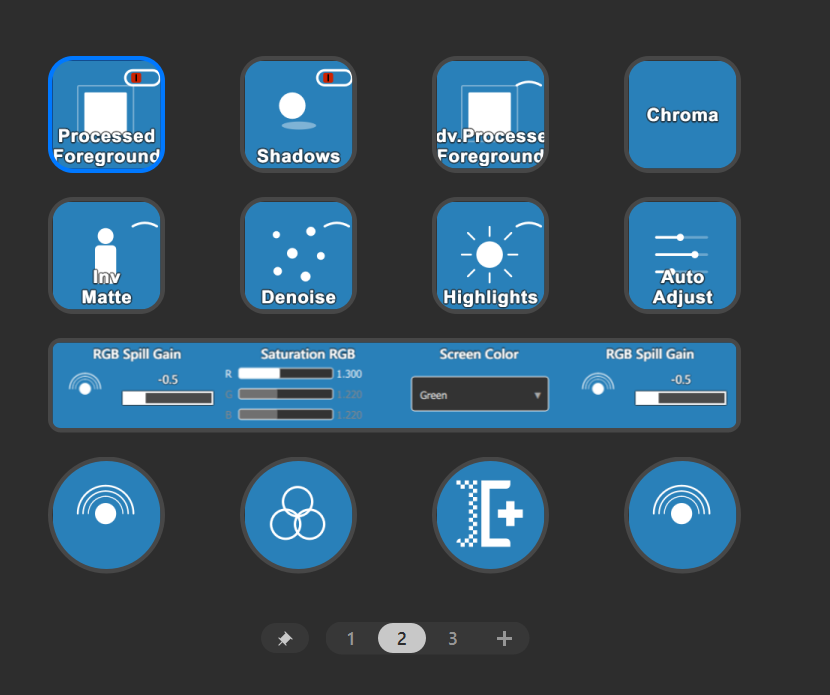 | Stream Deck Precision Key PluginThe new Precision Key plugin puts Chroma Keyer control on Stream Deck dials: Numeric, vector and enum properties are tuned by turning an encoder, with keys for toggles, preview modes and one-press Auto Adjust and live Keyer adjustments with the feel of a hardware panel. |
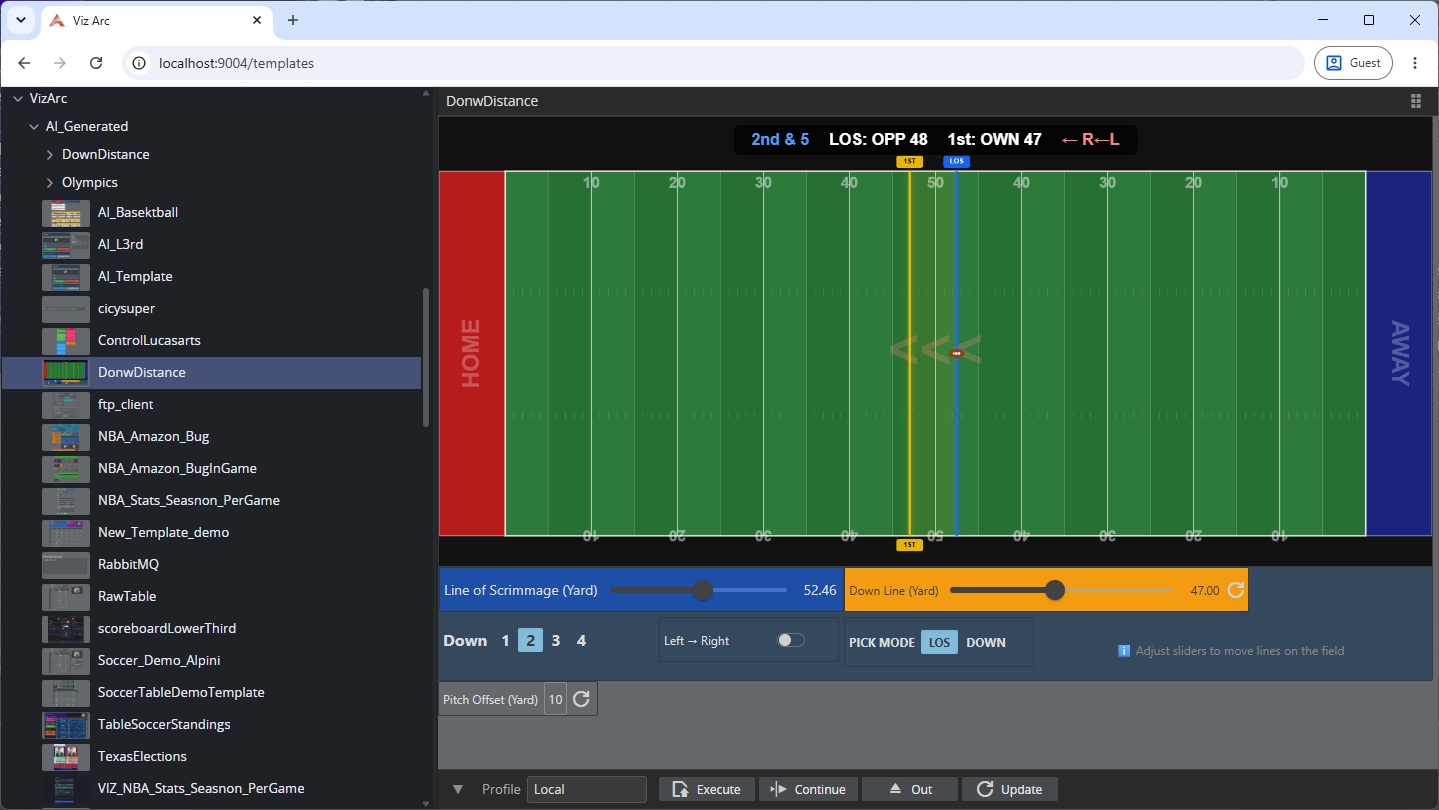 | REST Template ExecutionTemplates can be loaded, filled and played out entirely via the Viz Arc REST Service (with full script support, all template types, and Execute/Continue/Update/Out routed through the active profile). A web view at |
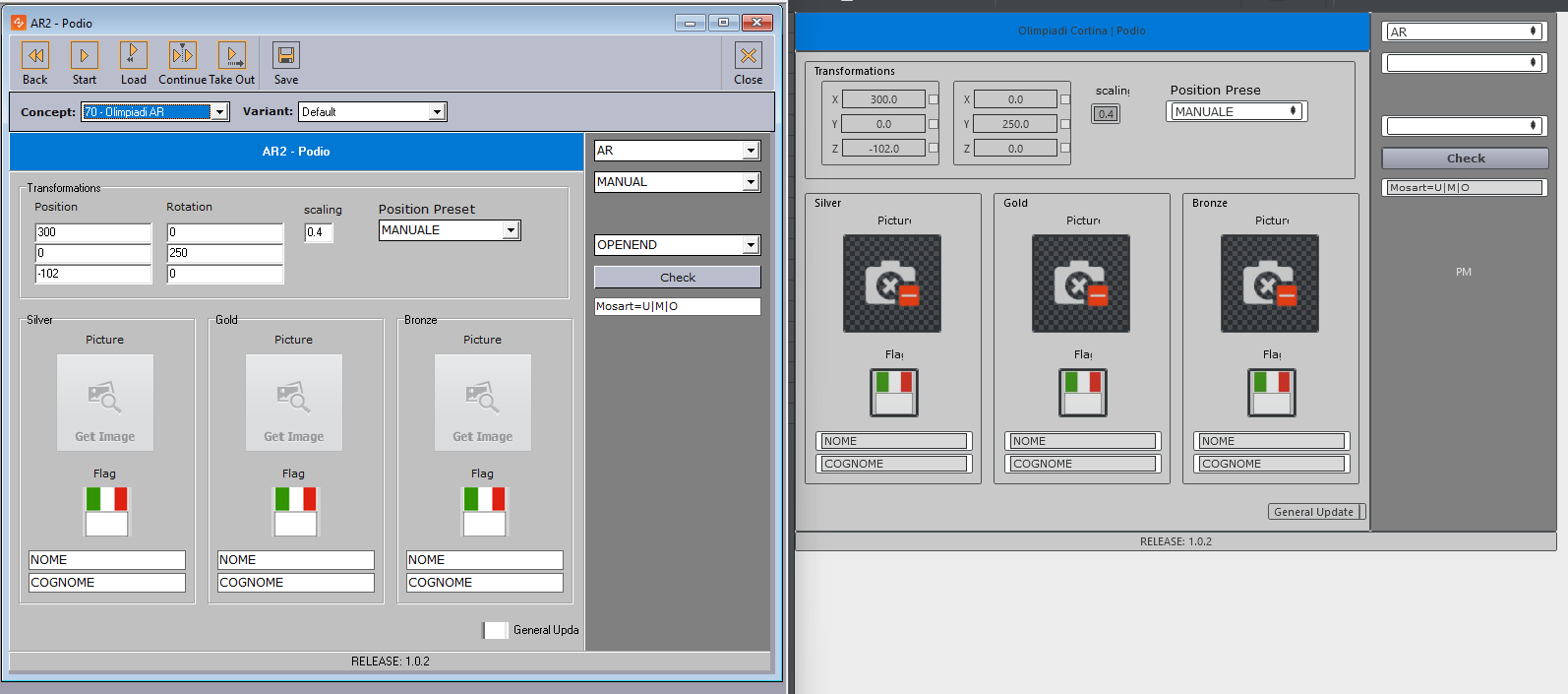 | Director ImportExisting Viz Director templates can be imported and converted into native Viz Arc templates: the parameter UI, control-object links and the template script are carried over automatically, with clear warnings for anything that needs manual review. A head start for migrating Template Wizard content to Viz Arc instead of rebuilding it from scratch. |