Info:
Multiple instances of the above applications may run on any workstation connected to the same network as the Viz Mosart Server.
All instances of Viz Mosart software must run the same Viz Mosart version with a standard OS across all Viz Mosart client machines.
Viz Mosart GUI

The Viz Mosart GUI workstation is a standalone networked PC with a single instance of the Viz Mosart GUI application (MosartMultiGui.exe) run in full-screen mode.
More than one PC can run the same software component, for example, you can add a backup GUI PC.
The Viz Mosart GUI is the main control interface for the Viz Mosart Server. The Director can run the production from a single key press on their workstation keyboard.
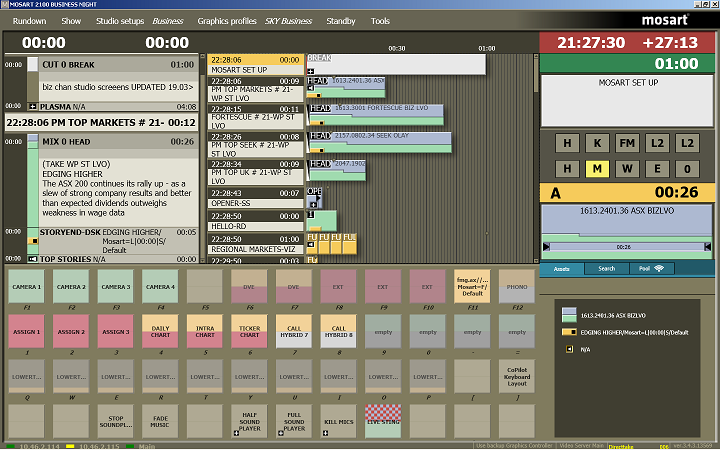
Alternate configurations may also host a Fader panel and a Timing Display. Each Viz Mosart Client application should run on a standalone networked PC.
The Viz Mosart GUI is described in detail in the Viz Mosart User Guide.
NRCS Plugin

The NRCS Plugin is one of the Mosart Web Apps. It delivers the functionality previously provided by the legacy Viz Mosart ActiveX Plugin.
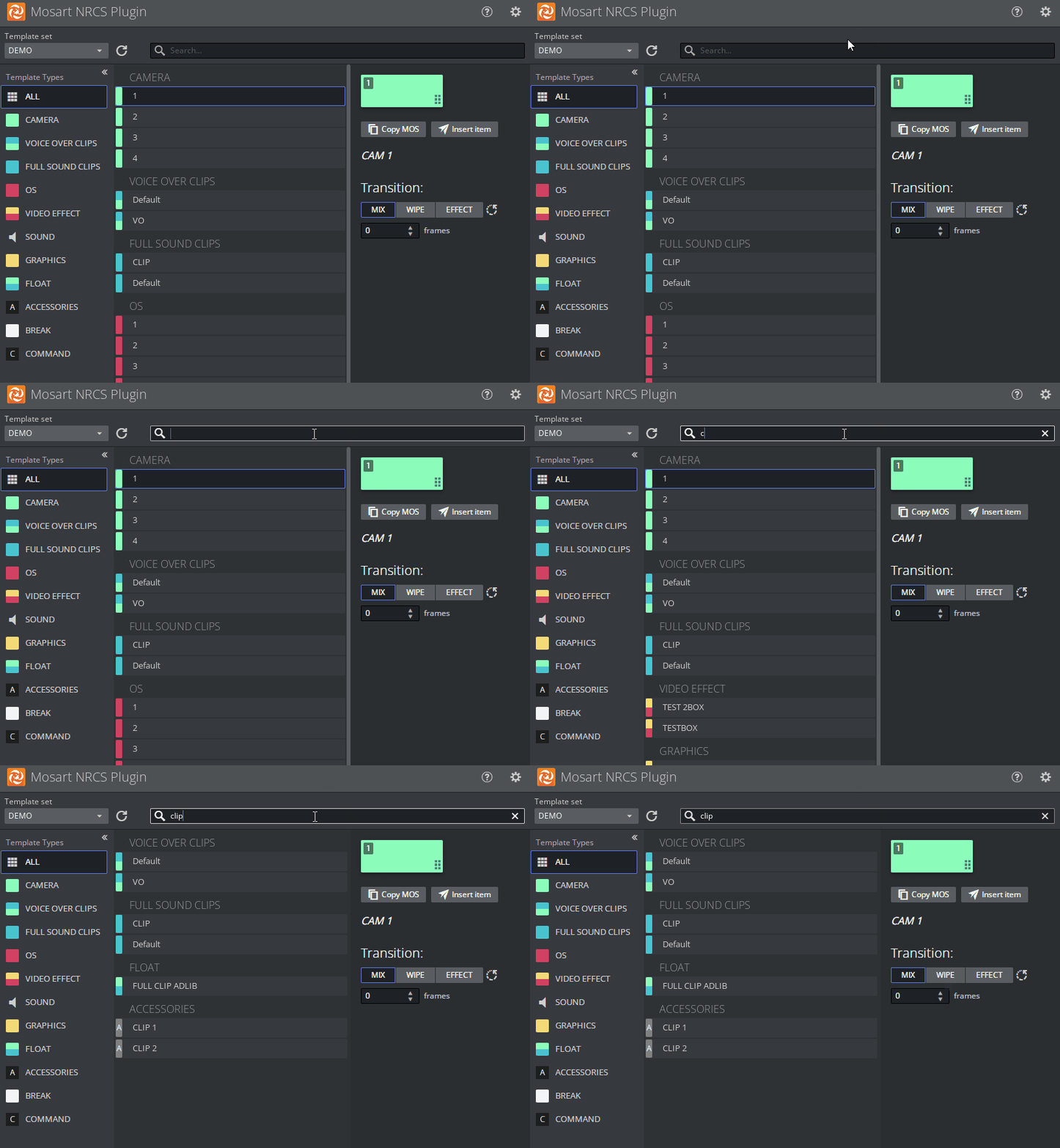
Features include:
Searching for a Template
Modifying a Template
Adding Template Details to the NRCS
Template Change Alert
Optimizing Your NRCS Plugin Workspace
Copying the MOS Object Details
Modifying Existing MOS Objects.
For details, please refer to the Mosart Web Applications Guide .
Timing Display

The Timing Display Web App replaces the legacy standalone utility Timing Display (WPFTimingInfo).
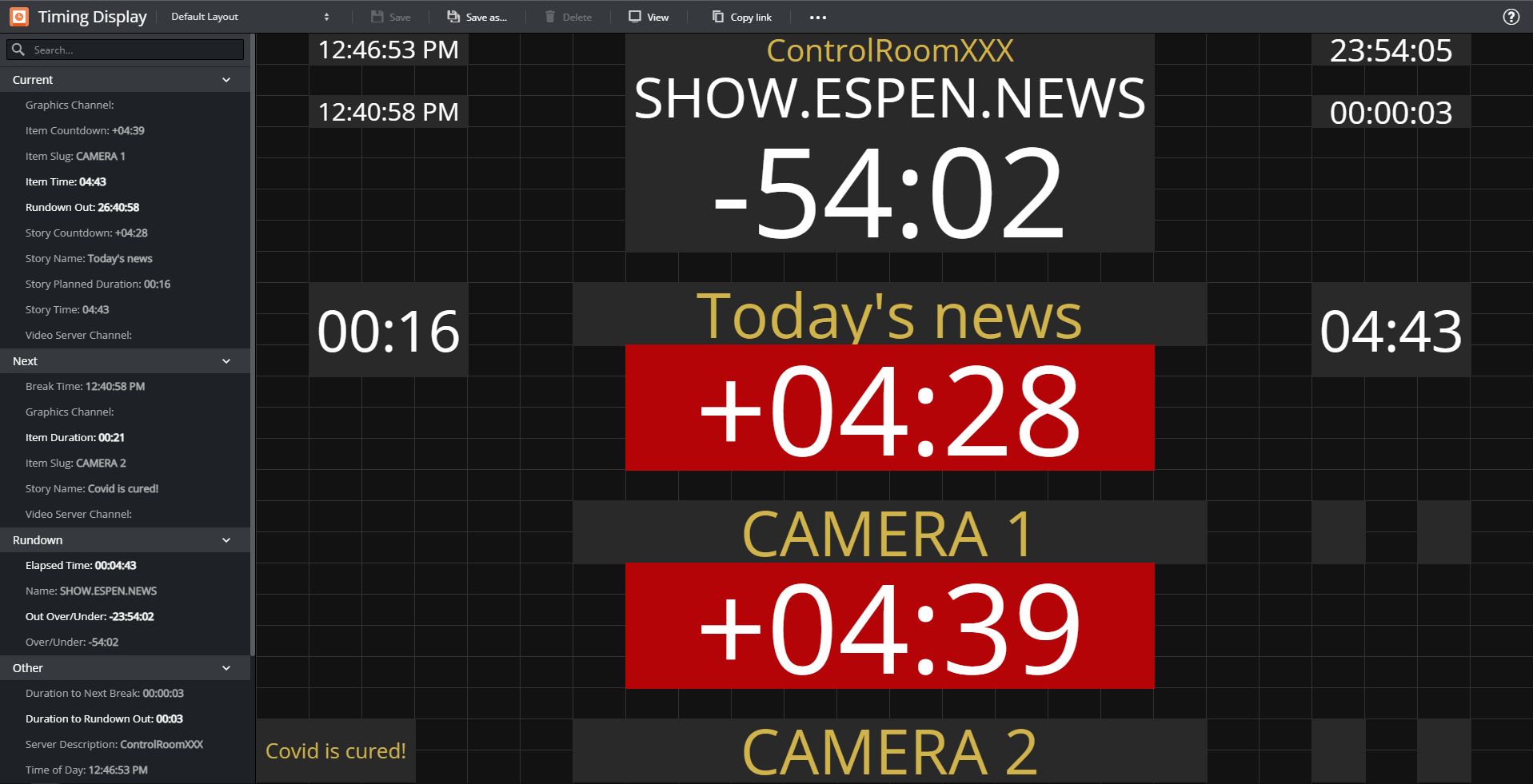
The Timing Display provides timing information to the studio control room, studio floor or any device connected to the Viz Mosart network.
Details are synchronized to the current rundown in the Viz Mosart GUI.
Multiple Timing Displays can be customized to the specific needs of the production staff.
For details, please refer to the Mosart Web Applications Guide.
Rundown Viewer

The Mosart Rundown Viewer provides a convenient web browser view of details from the current Viz Mosart rundown.
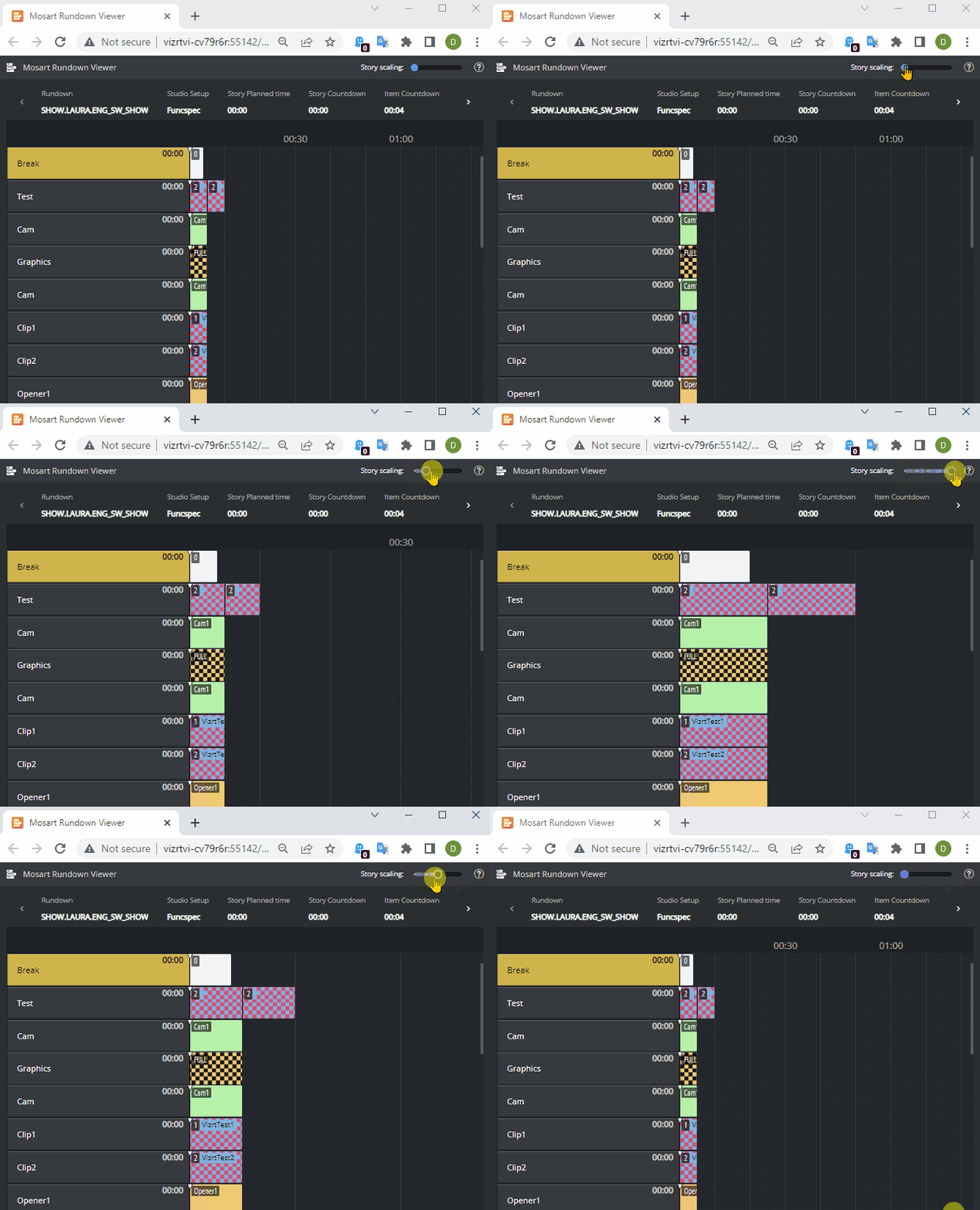
Displays the active Viz Mosart rundown.
Summary of story timings.
Supports a variety of devices. For example an iPad or networked phone.
For details, please refer to the Mosart Web Applications Guide.
iNEWS Timer

The iNEWS Timer provides accurate timing of the production in iNEWS, and is used to synchronize the story currently on air in the Viz Mosart GUI, to the corresponding entry in iNEWS.
See section iNEWS Timer.
Audio Panel
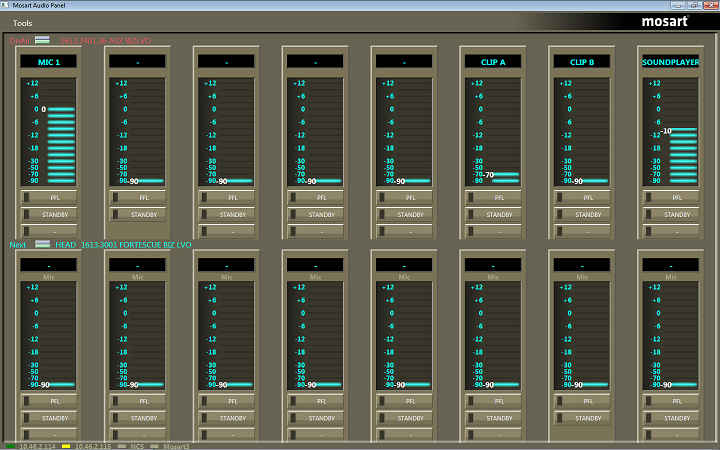
Audio Panel (Server)
The Audio Panel (AudioPanel) lets you use a Behringer BCF2000 or JL Cooper MXL with a Viz Mosart Server. The panel controls data transmission between the physical hardware panel and AV Automation on the Viz Mosart Server.
Audio Panel (Client)

The Audio Panel (Client) is a software representation of the audio mixer connected to the Viz Mosart Server, displaying current faders, on air faders, and faders in preview.
The Audio Panel is described in detail in the Viz Mosart User Guide.
Audio Player
The Audio Player is part of the Viz Mosart installation and may be used to play out audio files located on the file system. This is useful for playing out files that are used on a regular basis, such as openers and audio-beds.
Info: A broadcast sound card is required for audio output. If you're running the Audio Player on a Windows Server, you must install Windows Audio features on the machine in order for the various audio formats to work.
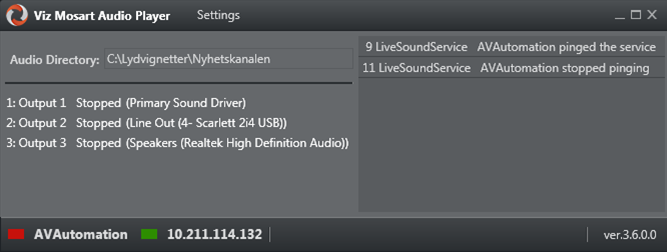
Info: The Audio Player replaces the discontinued Soundfile Player.
Viz Mosart can work with several commercial audio players.
Operating the Audio Player is described in detail in the Viz Mosart User Guide.