image-20260127-104736.png

AI-Aided Template Development

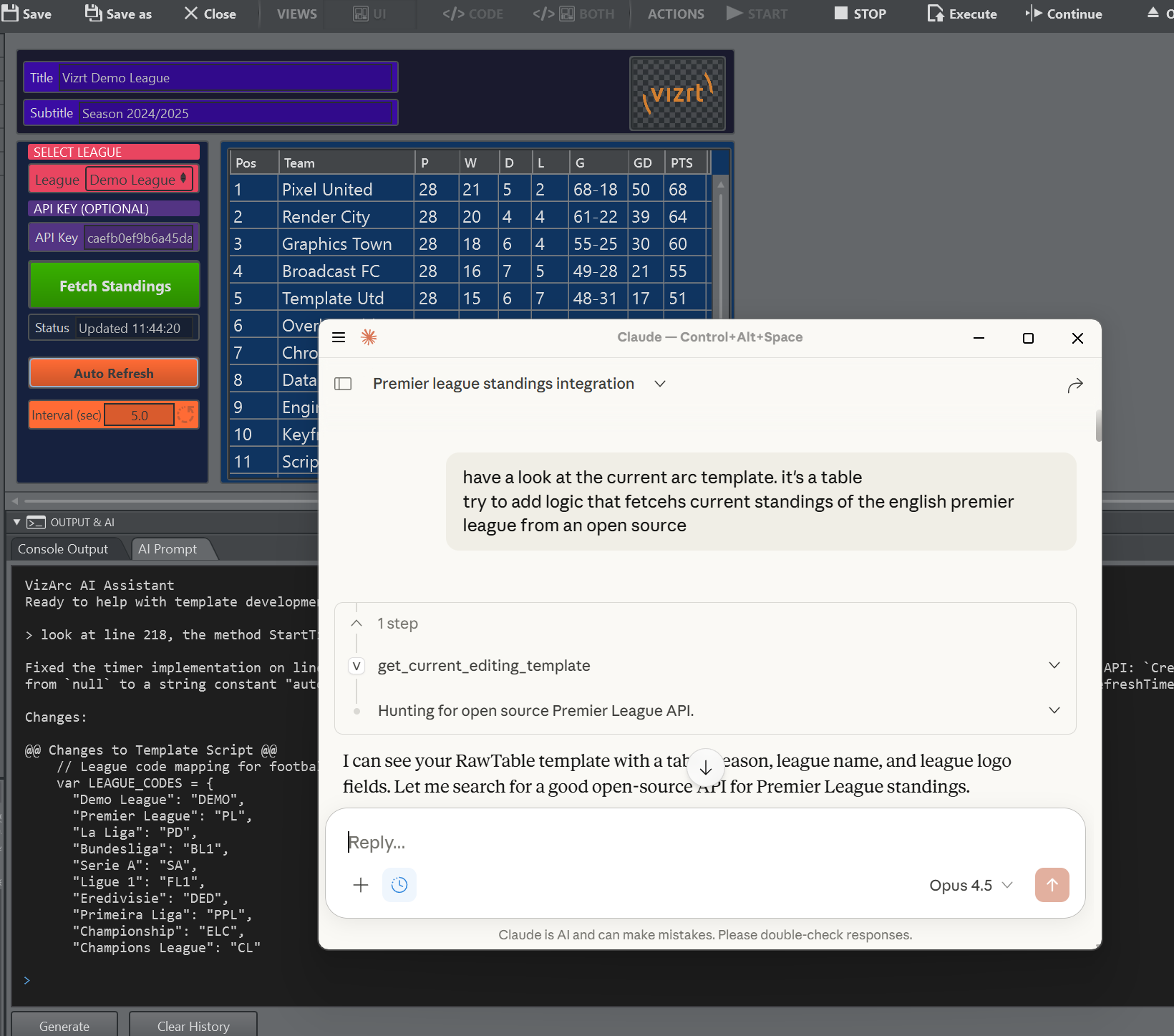
  • Internal AI Prompt: Built-in assistant in the template and global script editors. Generate templates from descriptions, modify scripts, add/remove parameters, and arrange UI layouts using natural language.

  • MCP Server Integration: Connect external AI tools to Viz Arc via the Model Context Protocol. A lightweight server (VizArc.McpServer.exe) exposes template data, parameters, and scripting documentation to compatible AI assistants.

image-20260127-105511.png

Web View

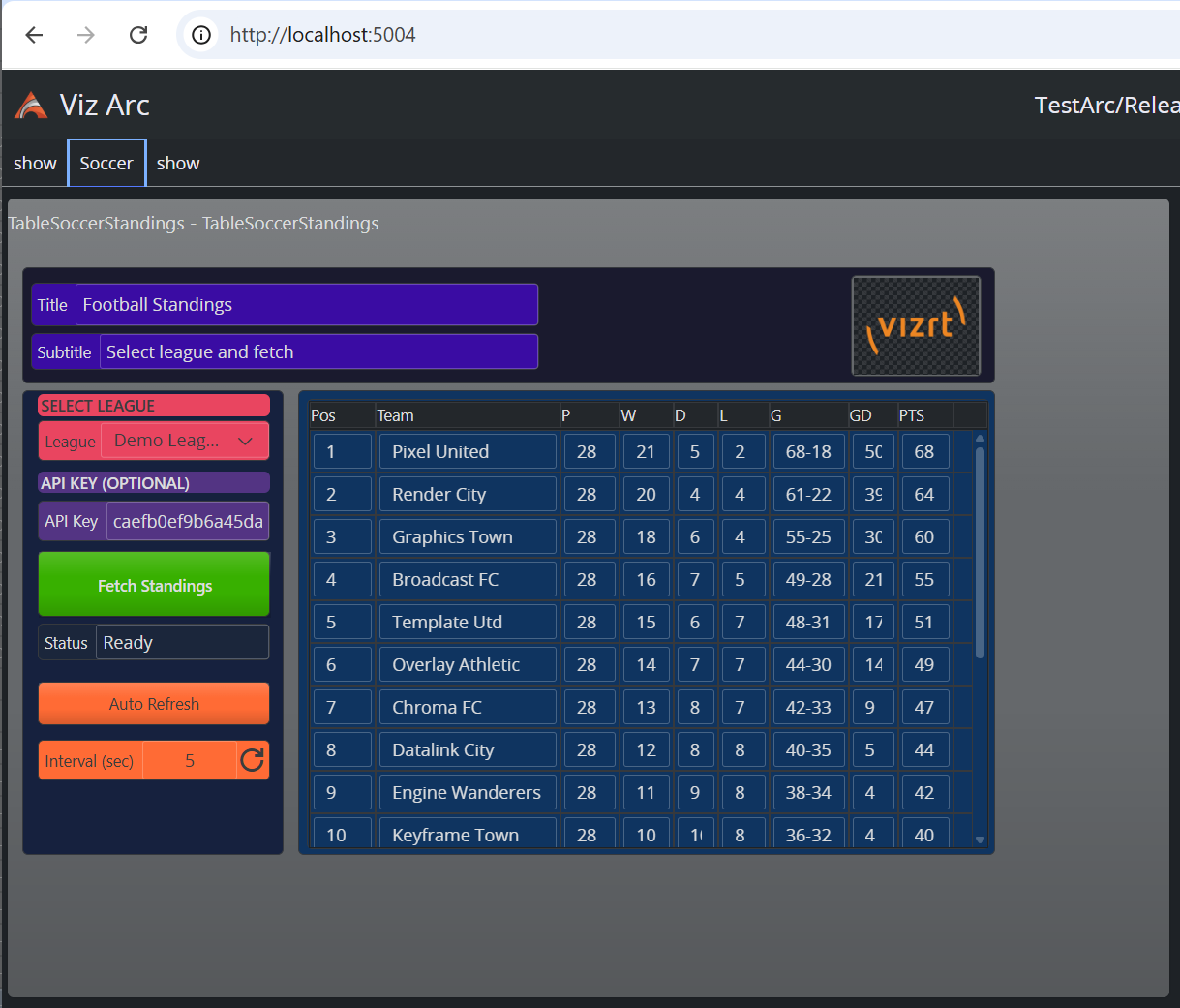
Viz Arc’s web view adds direct visualization and control of templates, allowing users to remotely connect to Viz Arc and operate templates and actions from a web browser.

image-20260127-100823.png

New Project View

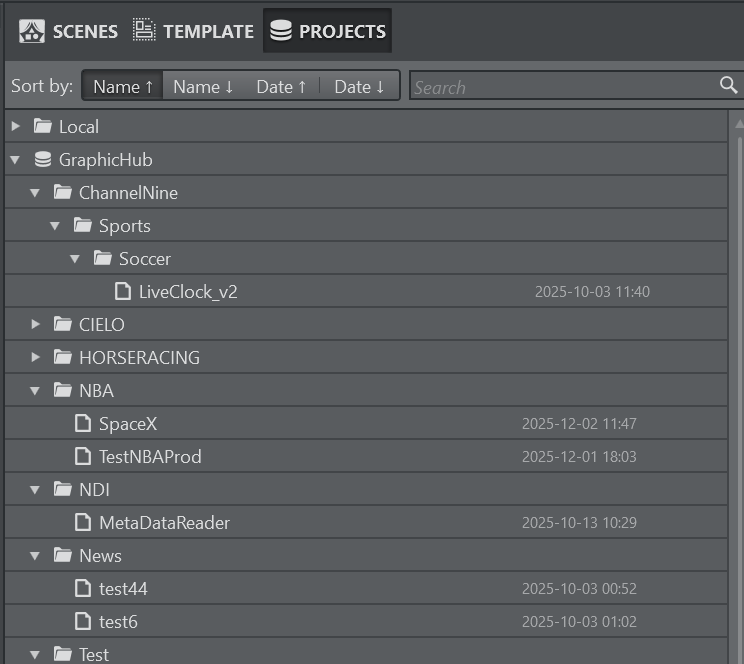
Store projects hierarchically in Graphic Hub folders.

An always-visible project panel provides quick switching, customizable sorting, and context menu actions for renaming, deleting, and organizing your shows.

image-20260127-115012.png

Script Editor

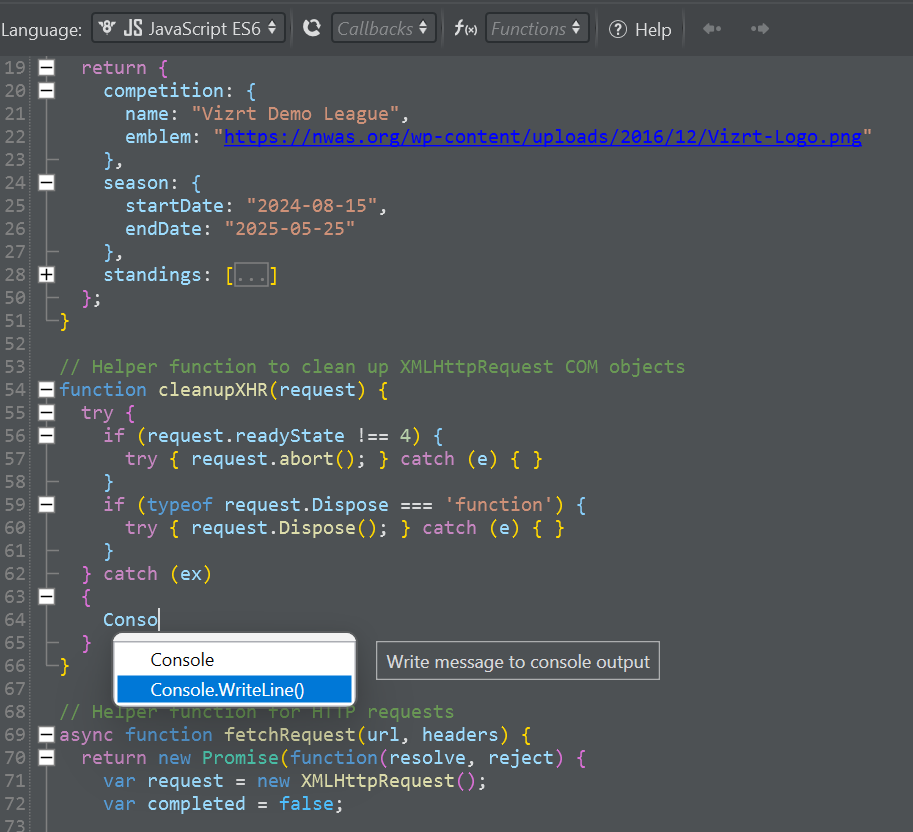
The script editor has been completely overhauled with professional IDE-like features:

  • Better Performance: Optimized rendering and syntax parsing for faster editing, especially with large scripts.

  • Enhanced Syntax Highlighting: New VSCode-style highlighting for JavaScript and VBScript with improved keyword, string, and comment coloring.

  • Bracket Highlighting: Matching brackets are automatically highlighted when the cursor is positioned next to them.

  • Rainbow Bracket Coloring: Nested brackets are color-coded by depth level, making it easier to identify matching pairs in complex expressions.

  • Code Folding: Collapse and expand functions, loops, and code blocks to navigate large scripts more easily.

  • Autocompletion: Context-aware suggestions for Viz Arc functions, parameters, and JavaScript keywords as you type.

  • Function Navigation: Jump directly to function definitions (CTRL + click).

  • Navigation History: Back/forward navigation to quickly return to previous editing positions.

image-20260128-134912.png

Pilot Data Server Integration

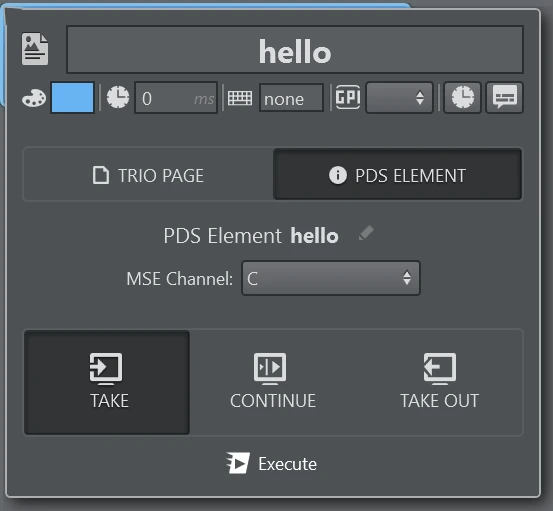
The MSE Action now supports triggering (take, continue, take out) of Pilot Data Elements present on the PDS.

image-20260127-135454.png

DataMap Explorer

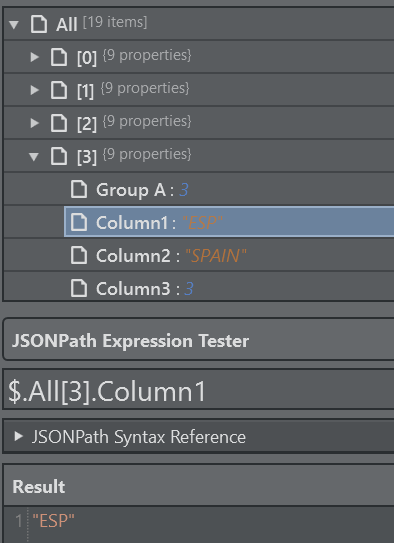
The DataMap Explorer lets you browse and inspect all DataMap variables in real-time, automatically detecting whether content is JSON, XML, or plain text. You can view data as an expandable tree or formatted text, and test JSONPath or XPath queries with instant results. Double-clicking any tree node generates the query path automatically, and the "Apply to Parameter" button links your selected variable and query directly to a template parameter. Query history, text search, and clipboard support round out the tool for efficient data debugging and parameter binding.