What is Transition Logic (TL)?
Transition Logic (TL) is primarily a method for designing a graphics package that enables designers to maintain the look and feel of the graphics, while also allowing users such as journalists or producers, to add graphics items to a rundown without requiring technical knowledge of system. TL provides independent control over multiple graphics layers, offering a code-free design-based method for building graphics that animate in and out and transition automatically between states.
Info: Transition Logic (TL) can be played out by most Vizrt control applications such as Viz Trio, Viz Pilot, Viz Multiplay, Viz Multichannel.
How does TL Work?
Master Scenes
This is achieved by using a Master Scene that coordinates the animation of independently controlled objects comprising the entire graphic. The master scene typically contains the background items of the graphics package. Such items can be looping backgrounds or design items of the lower third, over the shoulders, and full-screen graphics. The variable or changing content, such as the text in a lower third, is stored separately in Object Scenes.
Object Scenes
When a lower third is played On Air, the object scene for the lower third is triggered. This instructs the engine to load the master scene, place the object scene inside the master, and animate the timelines. TL handles all of these actions automatically.
Basic TL Concepts
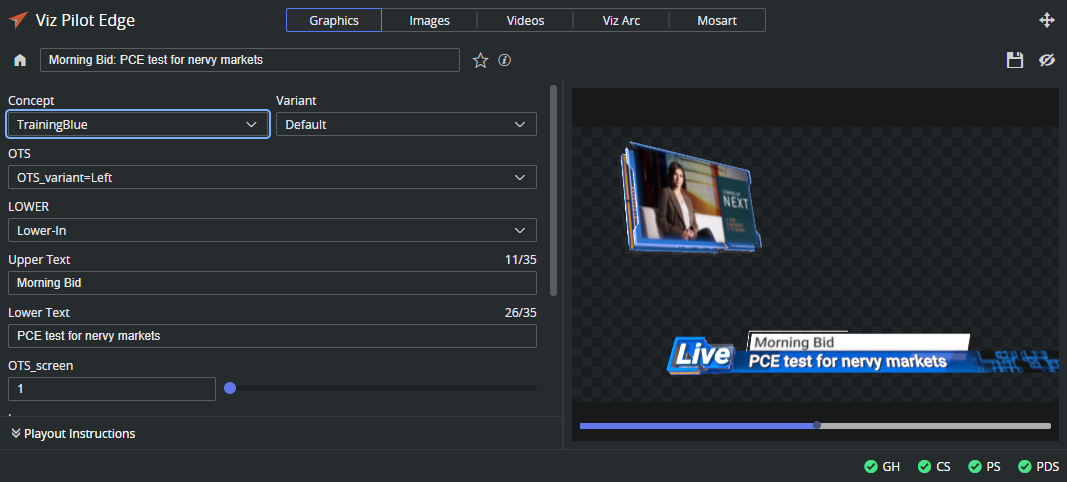
Combo Templates: A TL template that contains more than one layer of scenes. In the screenshot above, the template consists of two layers: OTS and LOWER.
Master Scenes: A TL scene is not a single scene, but a set of Viz graphics scenes that consist of a master scene that may have multiple layers of graphics that can be On Air at the same time and independently controlled.
Object Scenes: Each layer in the master scene may have multiple referring object scenes. However, only one object scene per layer can be active at any given time.
Layers: Layers in the transition logic scene define how many scenes can be on air at the same time. TL layers are conceptual, not spatial.
Note: With Transition Logic scene design, take in and take out commands are still used as with standalone scene design. Where standalone scene design demands that only a single scene can be On Air at a time. However, Transition Logic allows more than one scene to be On Air simultaneously. This means using Transition Logic lets you have a graphic covering the lower third of the screen and another graphic covering the left and/or right side of the screen for the shoulder graphics On Air at the same time.