The Tally tab in Device Properties has two independent directions. Each can be enabled on its own.
Tally Input: Viz Mosart reads tally state from a hardware video switcher.
Tally Output: Viz Mosart sends tally to multiviewers over TSL UMD v3.1.
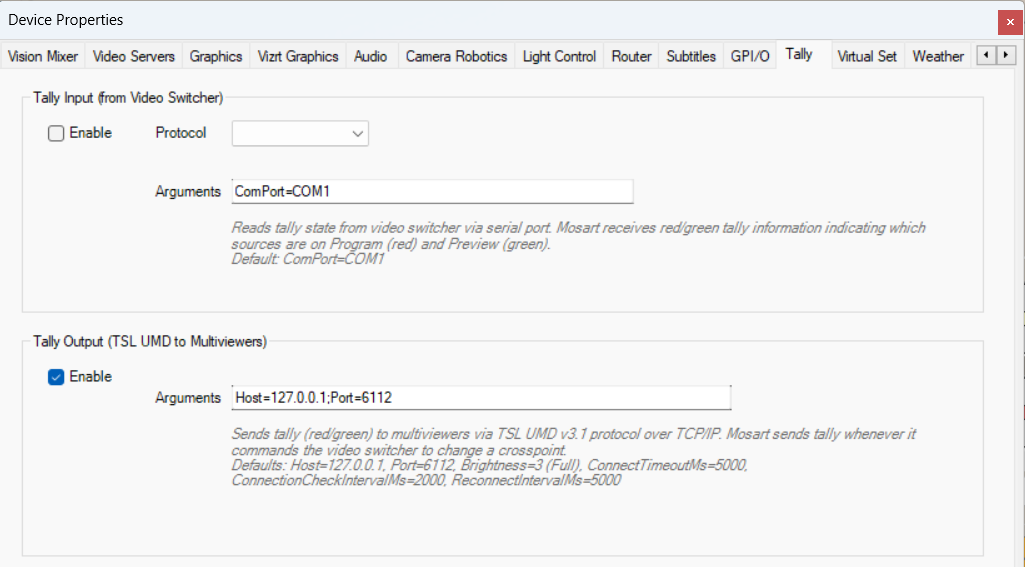
Tally Input (from Video Switcher)
Reads tally state from a video switcher via serial port. Viz Mosart receives red/green tally information indicating which sources are on Program (red) and Preview (green).
Enable: check to enable tally input.
Protocol: GVG200 or SONY MVS.
Arguments:
ComPort=COMx. Default:ComPort=COM1.
Tally Output (TSL UMD to Multiviewers)
Sends tally (red/green) to multiviewers via the TSL UMD v3.1 protocol over TCP/IP. Viz Mosart sends tally whenever it commands the video switcher to change a crosspoint.
Enable: check to enable tally output.
Arguments:
Host=<ip>;Port=<port>. Defaults:Host=127.0.0.1,Port=6112,Brightness=3(Full),ConnectTimeoutMs=5000,ConnectionCheckIntervalMs=2000,ReconnectIntervalMs=5000.
When tally output is most useful. A traditional switcher reports its own tally, but a software switcher such as Adaptive Live Producer (Viz Engine driven through the Media Sequencer) produces none. There, Viz Mosart derives program and preview tally from the crosspoints it commands and sends it over TSL UMD. See the Adaptive Live Producer: Tally page for the rules specific to that workflow.
Protocol
TSL UMD v3.1 runs over TCP. Each packet is 18 bytes:
Byte | Content |
|---|---|
0 | Address (0 to 126). |
1 | Flags: Tally1 (bit 0), Tally2 (bit 1), Brightness (bits 4-5). |
2-17 | 16-character label (source name from avconfig). |
Tally1 (T1) = program (red). Tally2 (T2) = preview (green). Crosspoint numbers in avconfig.xml (inputchannel values) become TSL addresses. TSL UMD v3.1 supports addresses 0 to 126.
After a TCP reconnection, Viz Mosart resends the current tally state automatically. No manual action is needed.
TSL UMD Simulator
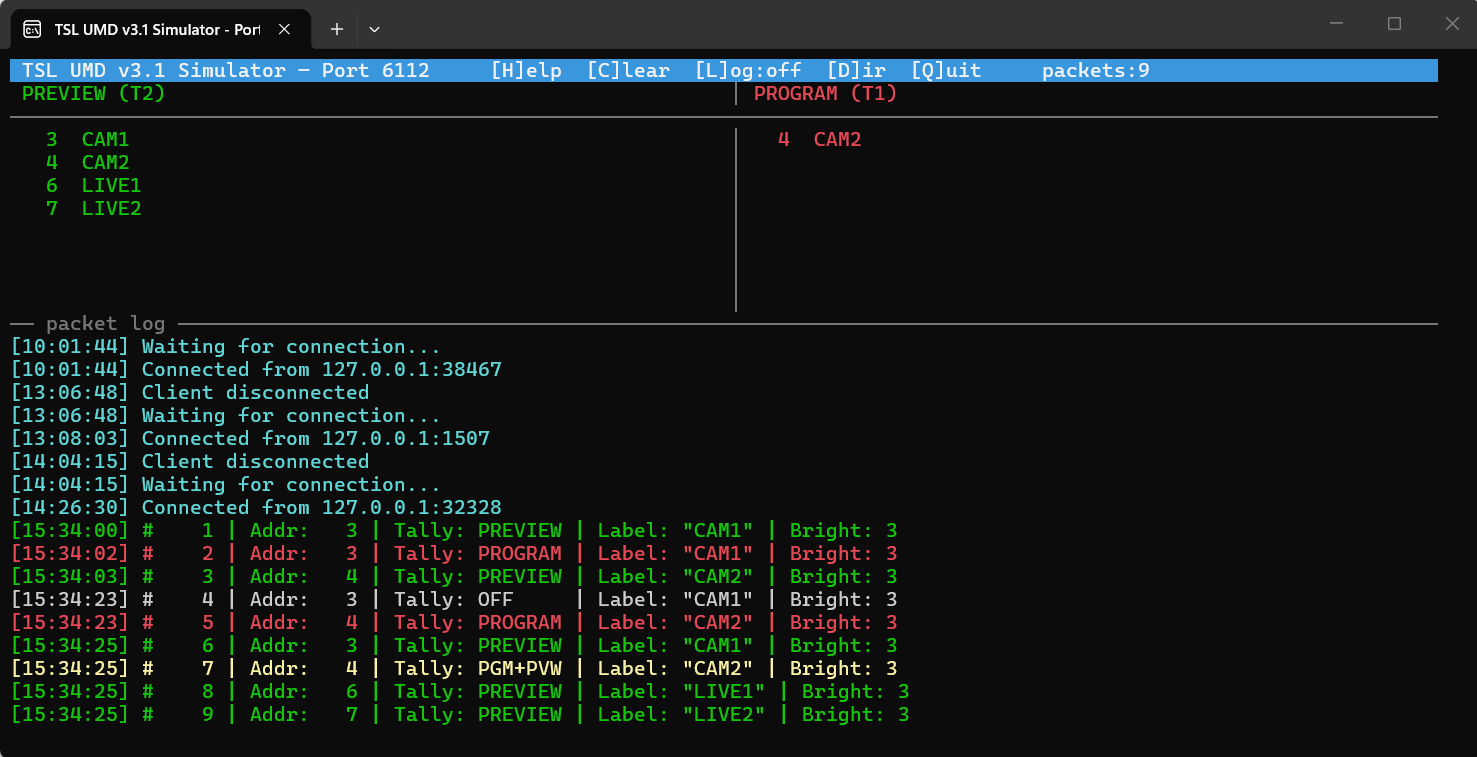
Mosart Test Suite includes a TSL UMD v3.1 Simulator (TslUmdSimulator.exe) that acts as a multiviewer receiver. Use it to verify tally addresses, states, and labels before connecting the real multiviewer.
Usage: TslUmdSimulator [port] [logdir]
port: TCP port to listen on (default: 6112).logdir: directory for log files (default:C:\MMLogs).
Commands during runtime:
Key | Action |
|---|---|
S | Show current tally summary. |
L | Toggle logging to file. When enabled, every incoming tally event is written to |
C | Clear console. |
D | Change log directory. |
Q | Quit. |
The simulator shows each tally packet with color coding: red for program, green for preview, yellow for both, gray for off.