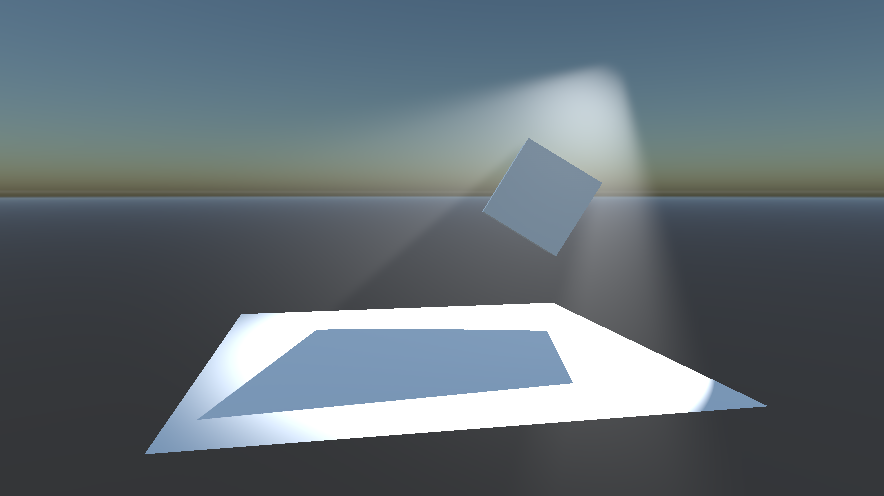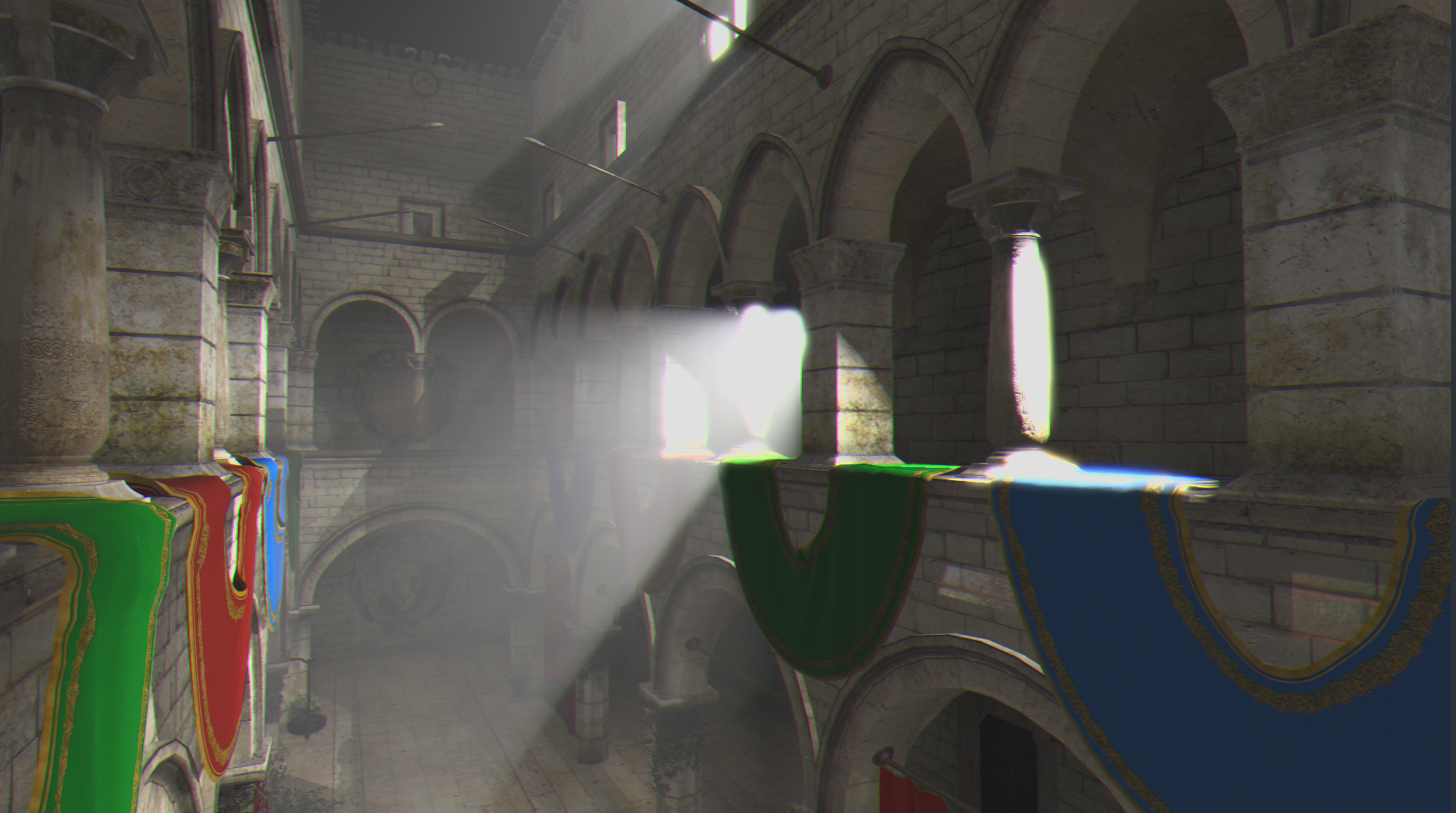
Volumetric Lighting is the new feature introduced in Viz Engine 5.5 onwards. The light is now capable of casting its volume, making such holistic effect and increasing scene realism. This relies on the fog effect, because the rendered volume follows the principle that light scatters on the clouds of particles in the air, and reaches the eye after uncountable bounces. When there is a shadow castor occluding the light volume, it produces the well-known Light Shaft or God Rays effect.
To have volumetric lighting deployed in the scene, the following components are required:
Active fog effect: This could be done by going to Properties panel > Scene > Rendering > Post Processing > Fog and enabling it. To examine the result in Scene Editor, make sure that Post Processing effects are activated. See Fog to customize the fog effect.
Volume-casting lights: In Light properties, go to Volume and enable it. See Light and Shadows to customize volume casting behavior.
Supported Light Types
Directional Lights
Spot Lights
Point Lights
Area Lights (non-LTC)
Example
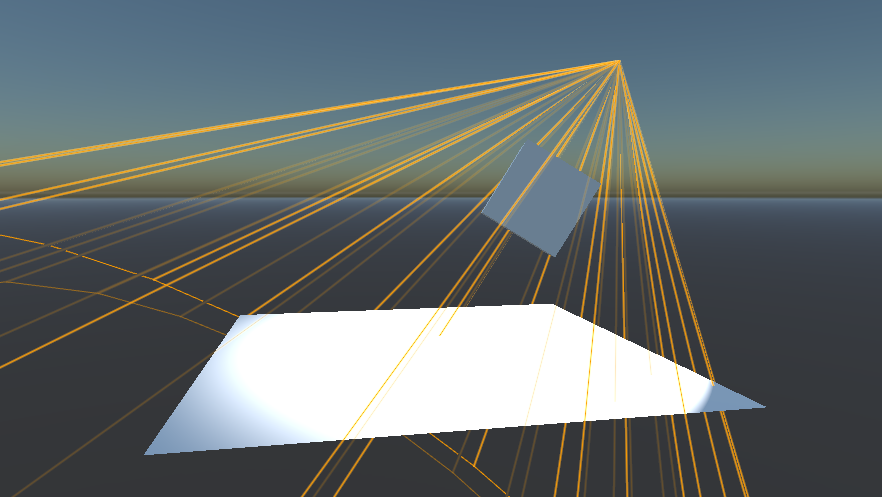
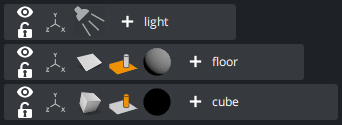
Start with the following scene setup:
A light to cast a volume.
A floor to receive shadow with an arbitrary material.
A geometry to cast shadow and occlude some part of the volume, with an arbitrary material as well.
Go to Properties panel > Scene > Rendering > Post Processing > Fog and enable the fog effect.
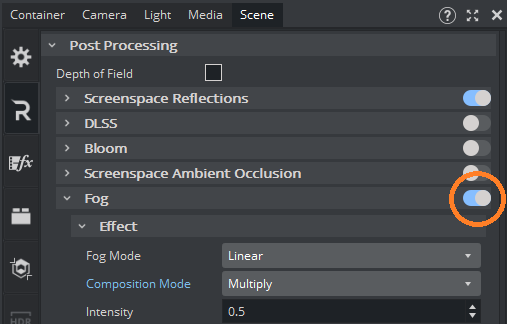
Tip: Setting Fog’s Composition Mode to Multiply is recommended for volumetric lighting.
In the light properties, find the Volume group and enable it. This allows the light to cast its volume with respect to the fog effect properties.
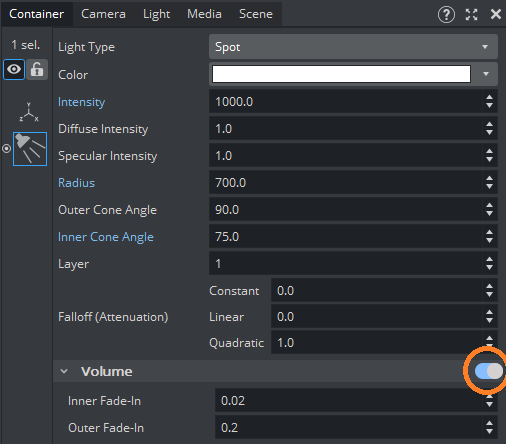
Tip: Apart from customizing Fog effect, the volume intensity of a particular light mainly depends on Light’s Intensity. In addition, Light’s Falloff (Attenuation) could slow down the volume fade-out, giving the volume a more solid appearance.
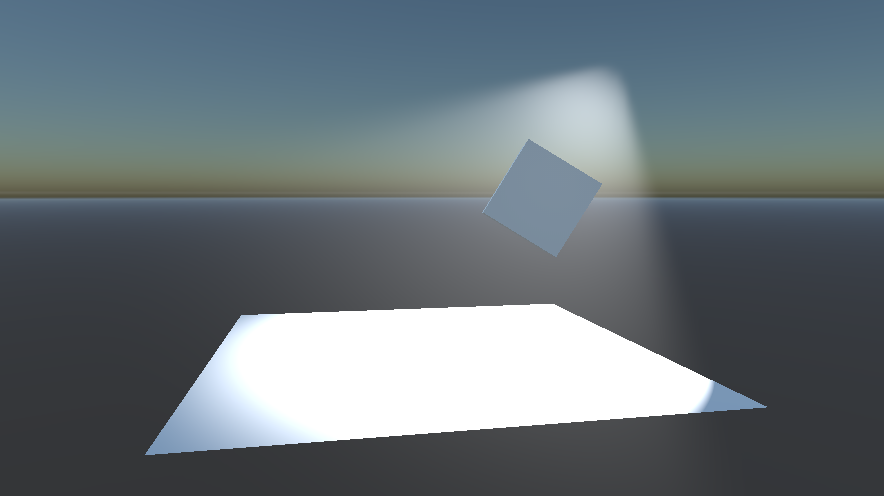
Now the light volume appears in the scene when Post Processing effects are activated for Scene Editor.
In the same light properties, find the Shadow group and enable it.
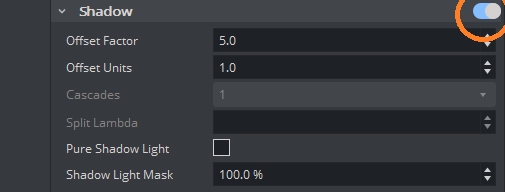
Now the geometry occludes the volume and creates a light shaft.