Viz Arc 3.0.0
Release Date: 2026-01-29
These are the release notes for Viz Arc version 3.0.0. This document describes the user-visible changes that have been made to the software since Viz Arc 2.2.0.
New Features
AI Integration for Templates
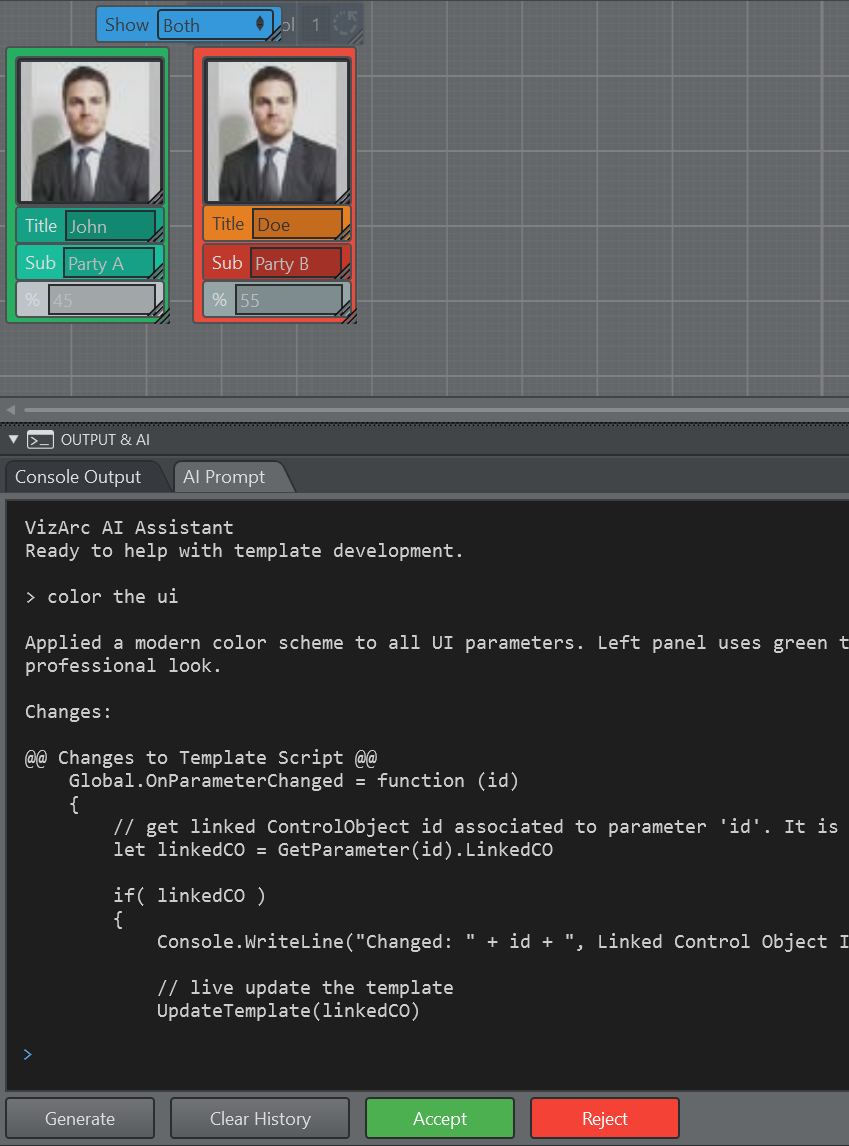
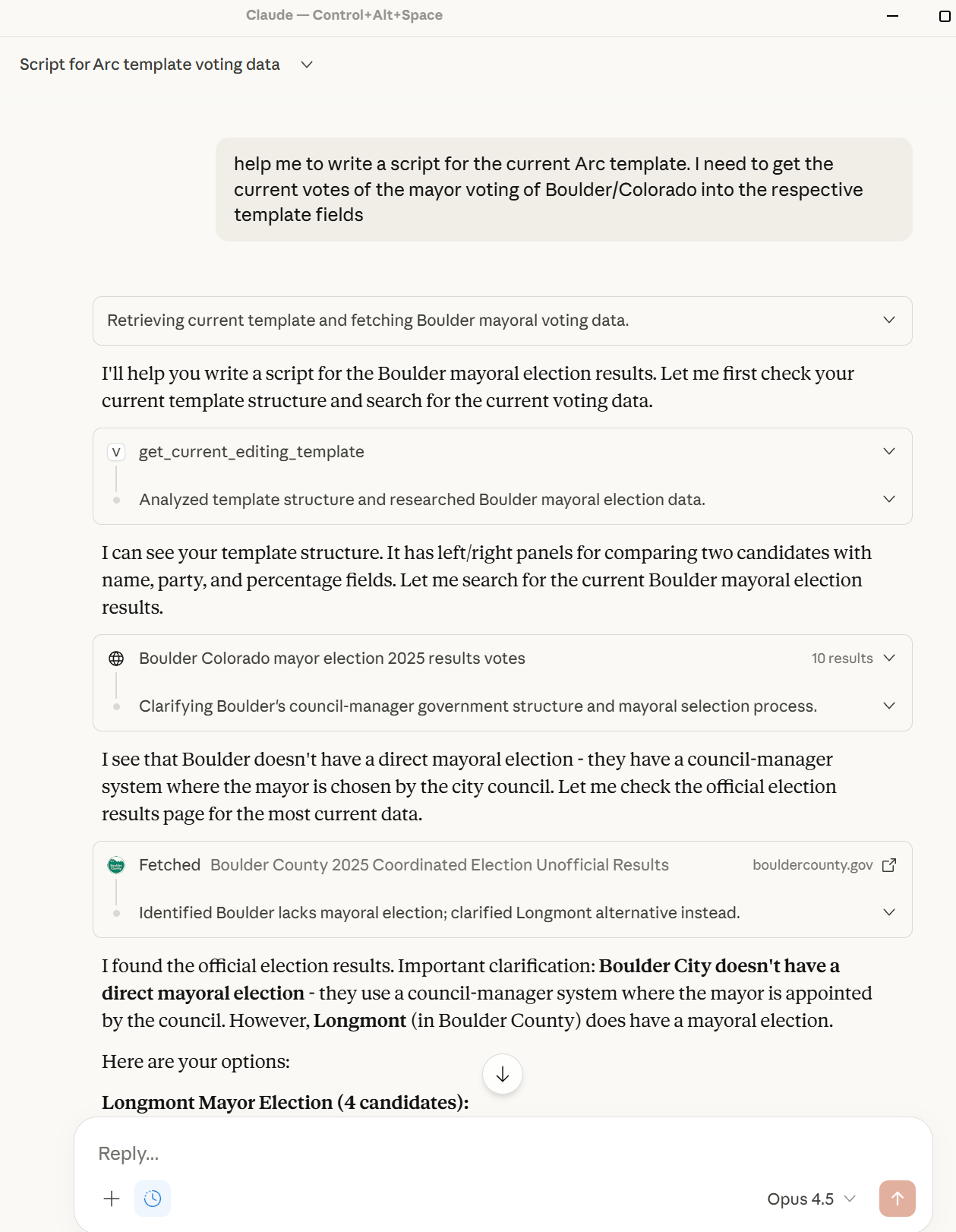
Viz Arc includes AI-powered features that help you create and modify templates using natural language. These features are available through two interfaces: the built-in AI Prompt panel and external integration (for example, via Claude Desktop using the MCP (Model Context Protocol) server).
The built in prompt can be used for more simple tasks:
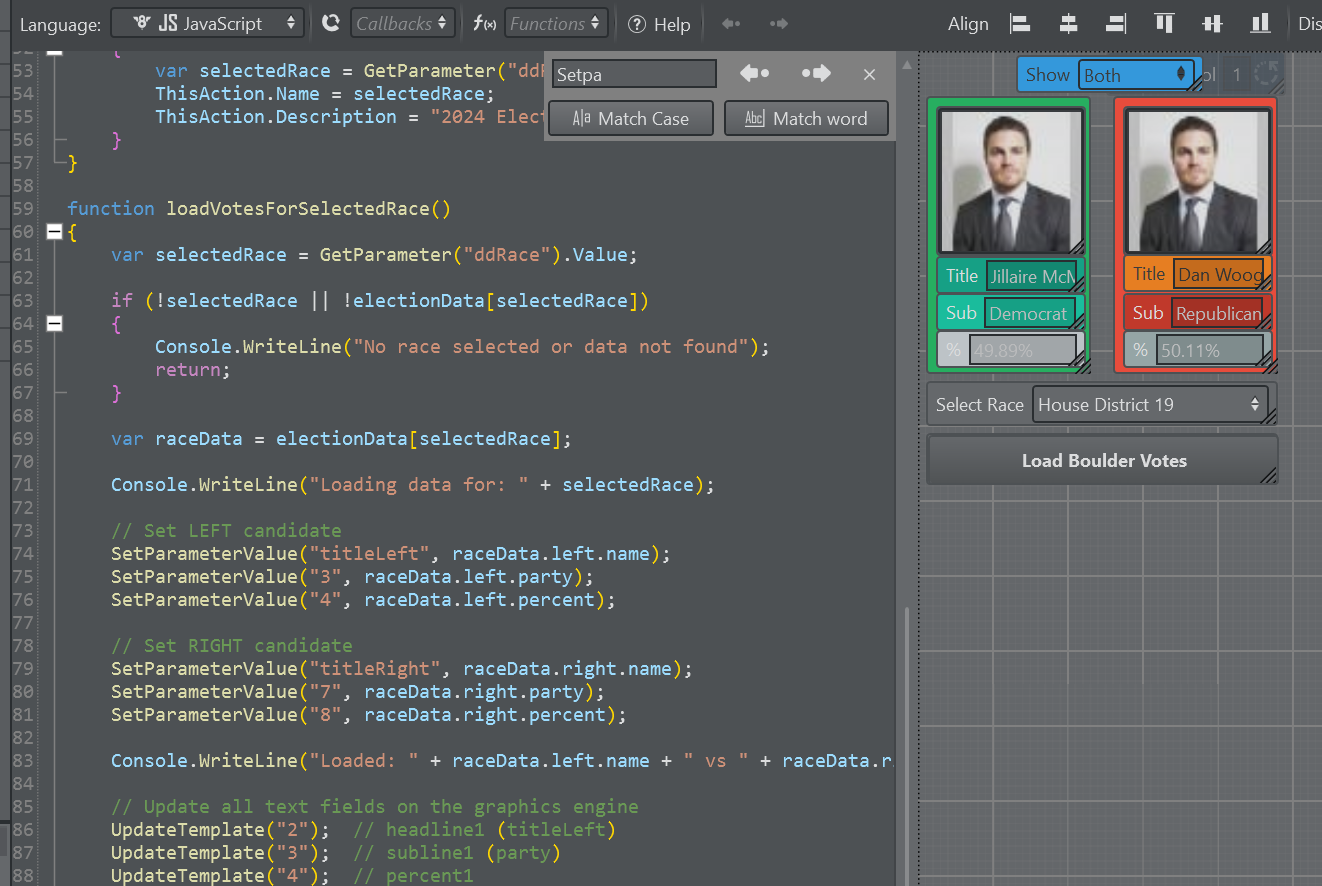
External applications like Claude Desktop can aid in creating more complex templates:
As a result the AI through MCP helps to create fully functional script code and UI elements.
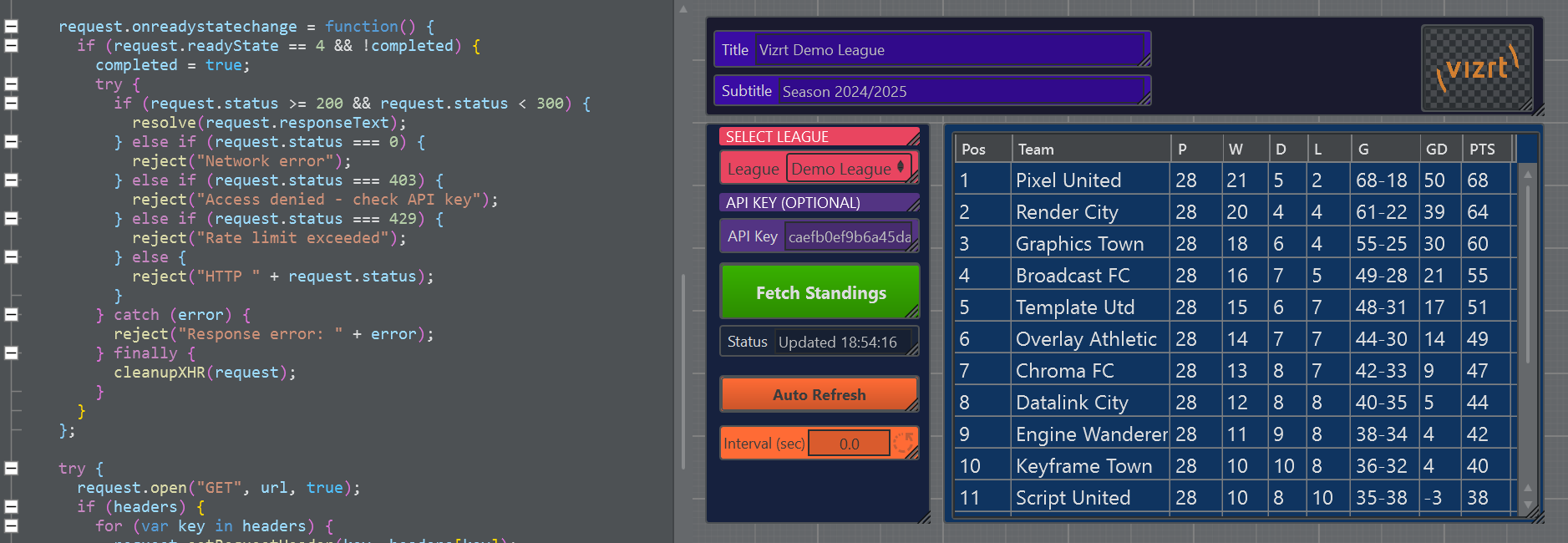
Create complex sports templates within minutes, including data fetching:
Template Improvements
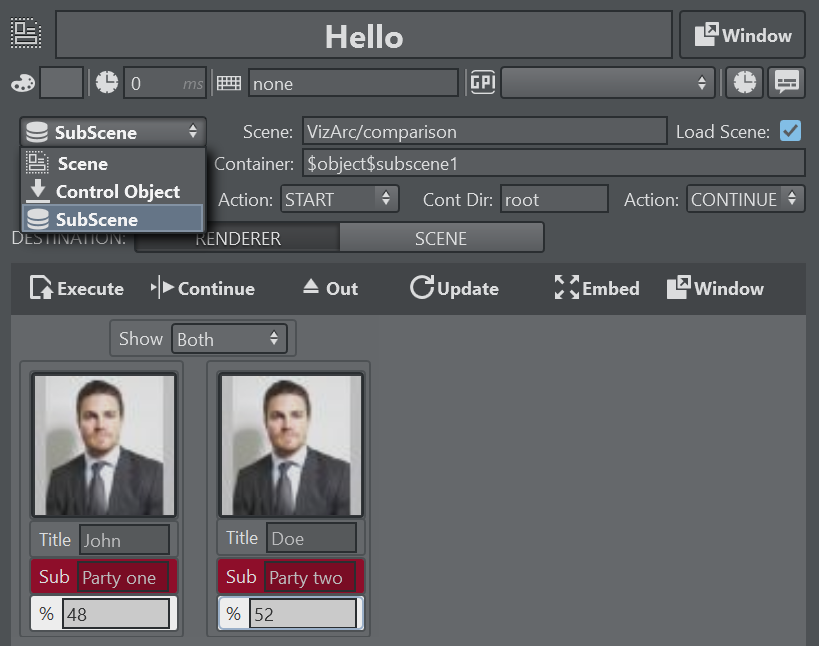
Support for SubScenes
Templates can now control SubScenes directly.
More Control over Execute and Continue
For Viz Templates, the template can be configured to trigger different directors on execute and continue and the specific director action can be configured (for example, instead of calling CONTINUE on STAGE, a template can call CONTINUE REVERSE on a specific director when executing the continue action on a template).
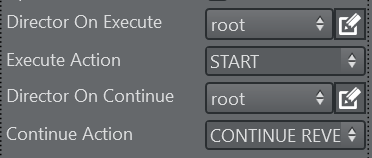
On the template action, the behavior can be overridden.
Script Editor
Improved script editor with better performance, syntax highlighting, bracket highlighting, code folding, autocompletion and function navigation.
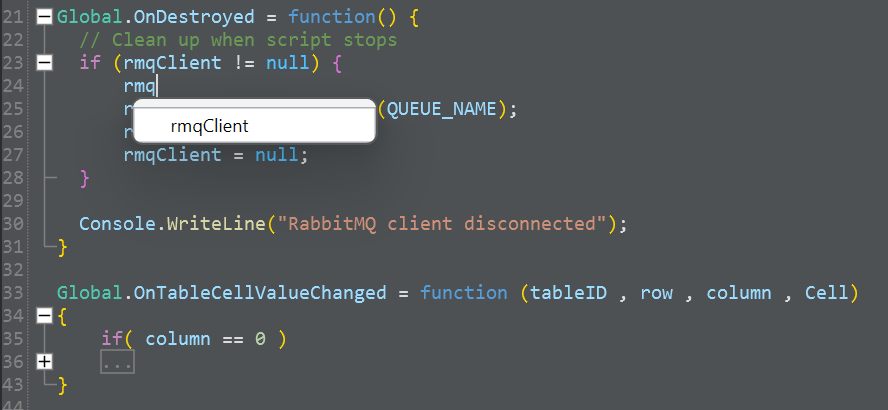
Table Parameter
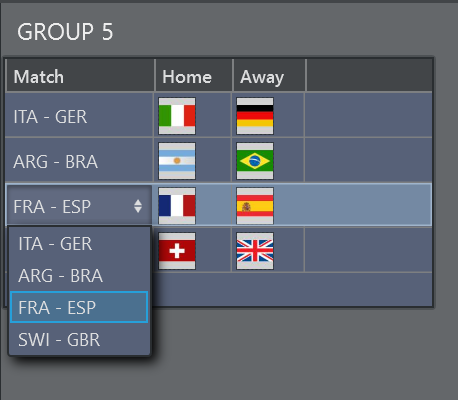
Improvements include support for dropdown columns, hidden columns and read only columns. Base font sizes and background colors are propagated to all cells. Row heights, column reordering and row indices can be adjusted in the property editor.
Version Information
Display when the template has been saved by which user and from which machine. The version counter counts the number of saves applied to the template.
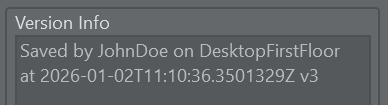
Global.OnCreated = function (){ versionInfo.Value = "Saved by " + GetSavedBy() + ' on ' + GetSavedOn() + "\nat " + GetSavedAt() + " v" + GetVersion()}Text Parameter
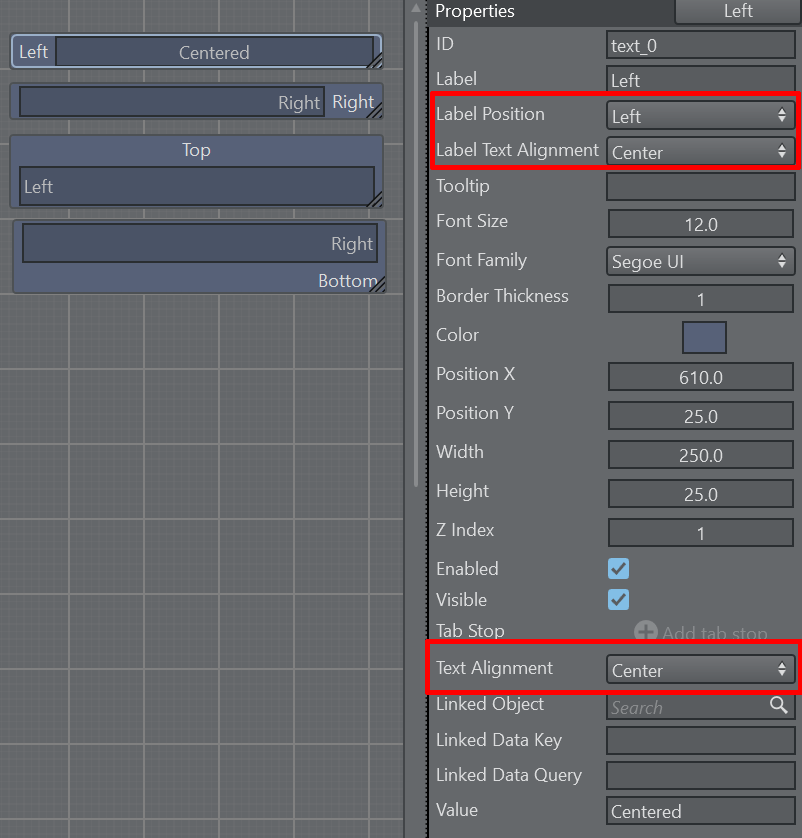
Text parameter labels can be aligned left, right, top and bottom while the content can be aligned left, center and right.
RabbitMQ
Added support for RabbitMQ clients, analog to MQTT clients. Allow to publish and receive messages on queues.
var rmqClient = null;var QUEUE_NAME = "vizarc_demo_queue";Global.OnCreated = function() { // Create RabbitMQ client - connects to localhost with default credentials rmqClient = createRabbitMQClient("localhost", 5672, "guest", "guest", "/"); // Declare and start consuming from a queue // Messages will be pushed to the DataMap with queue name as the key rmqClient.ConsumeQueue(QUEUE_NAME); // Subscribe to DataMap to receive messages SubscribeDataMap(QUEUE_NAME);}// Button click handler to publish a test messageGlobal.OnButtonPressed = function(param) { if (param === "btnPublish") { var testMessage = JSON.stringify({ action: "update", value: "Hello from VizArc!", timestamp: new Date().toISOString() }); // Publish to queue (uses default exchange with queue name as routing key) rmqClient.PublishToQueue(QUEUE_NAME, testMessage); Console.WriteLine("Published: " + testMessage); }}Destroy Callback
OnDestroyed is a new callback available to templates which gets called right before a script gets destroyed or closed, giving the user the possibility to add cleanup code.
Global.OnDestroyed = function() { // Clean up when script stops if (rmqClient != null) { rmqClient.StopConsuming(QUEUE_NAME); rmqClient.Dispose(); rmqClient = null; } Console.WriteLine("RabbitMQ client disconnected");}Flowics Helper Methods
Added script functions to ease Flowics integration. For easier overlay control, added ShowOverlay, HideOverlay, SetOverlayState, SetOverlayStates, ShowAllOverlays and HideAllOverlays. For list item controls added GotoFirst, GotoNext, GotoPrev and GotoItem. For timer-related controls added FlowicsSetTimer, FlowicsStartTimer, FlowicsPauseTimer and many more convenience methods. Please refer to the Viz Arc Script Guide for more details.
DateTime Picker
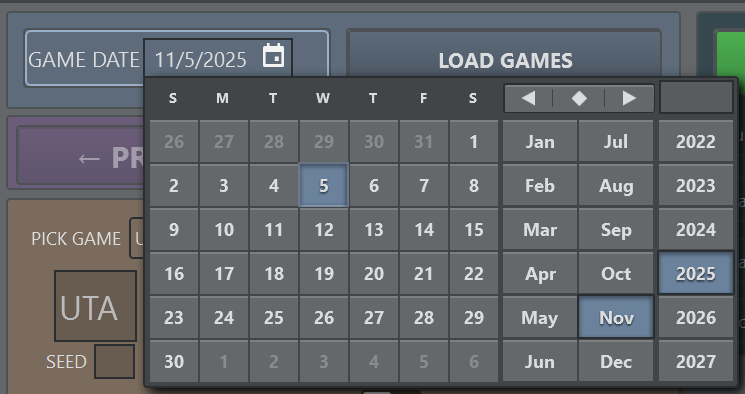
The new DateTime picker parameter can be used to pick a date (and optionally a time).
Excel Reader
Allow extraction of sub-tables with headers from an Excel sheet. Previously headers could only be taken from the first row of a sheet.
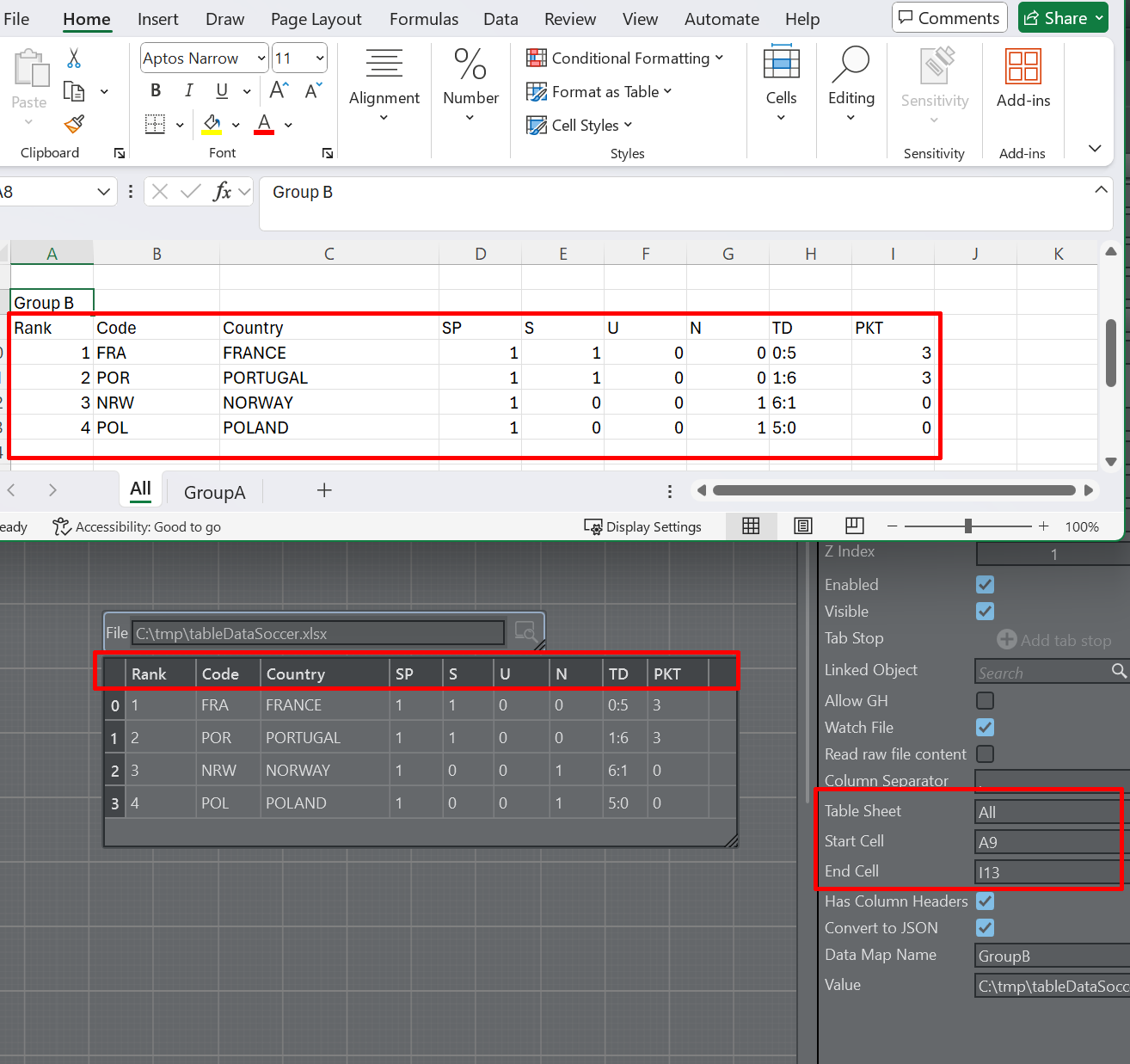
When no table sheet is specified on the file reader, all Excel sheets are read and placed in structures named by the sheet title.
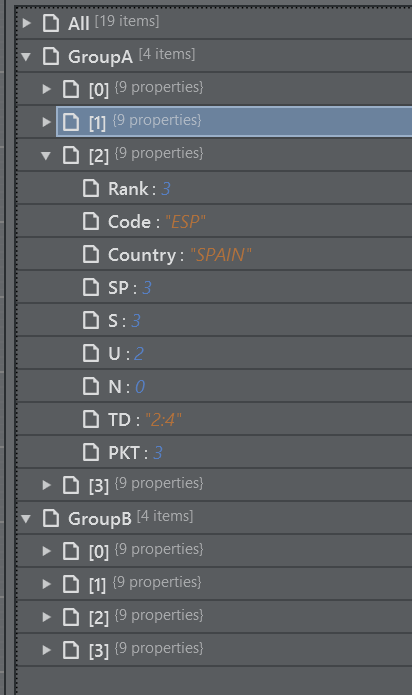
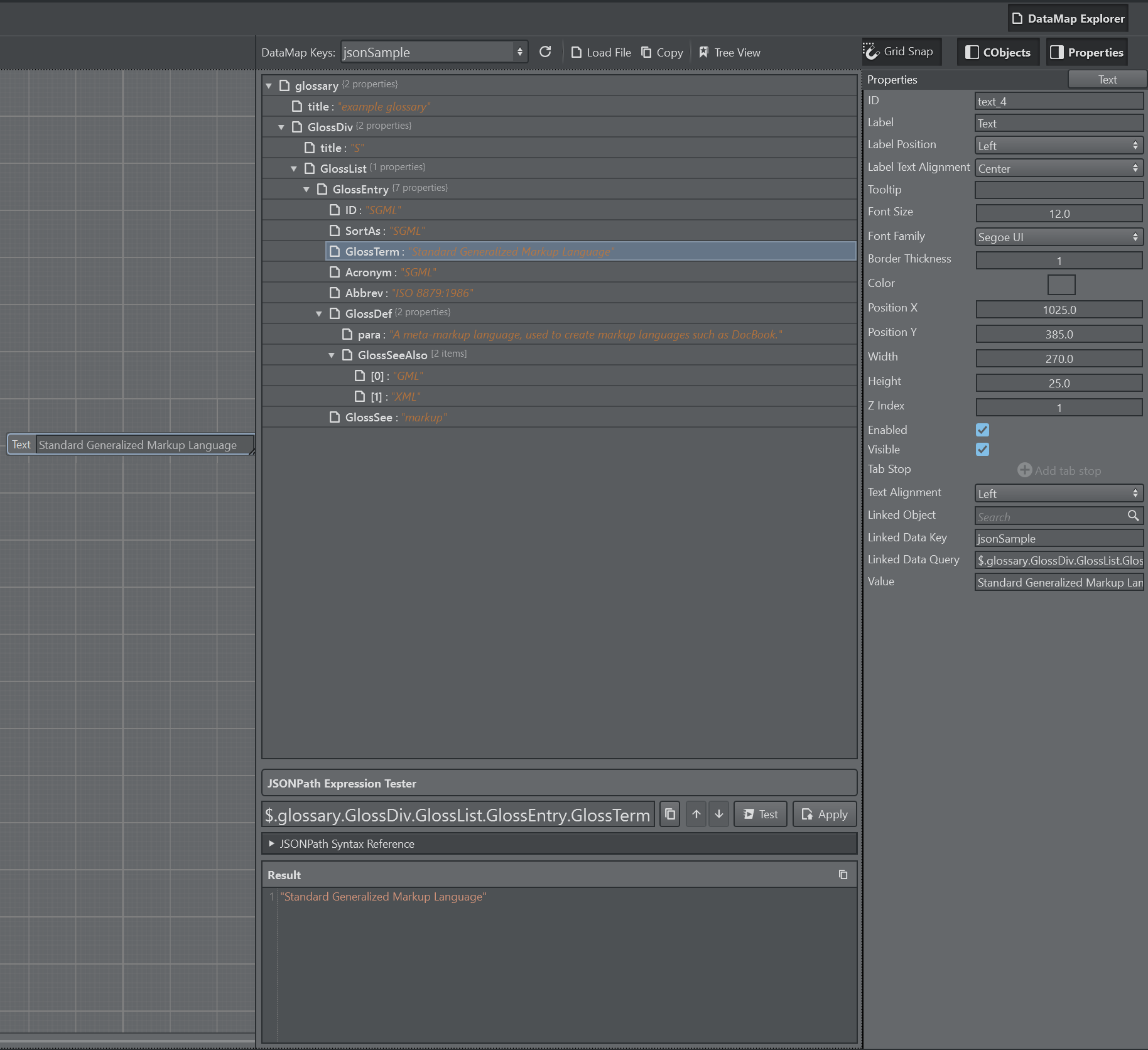
Data Explorer
The Data Explorer can visualize JSON and XML data stored in the DataMap and assist in mapping the data into a script parameter. It assists in testing JSONPath and XPath query expressions for data extraction.
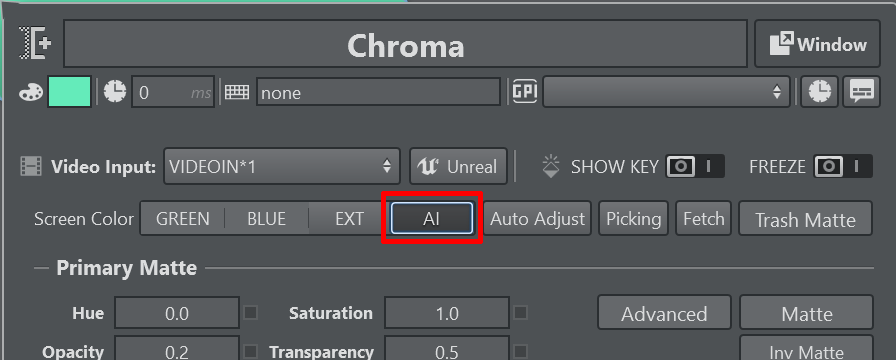
Precision Keyer
Added support for AI keying mode.
HTML Templates
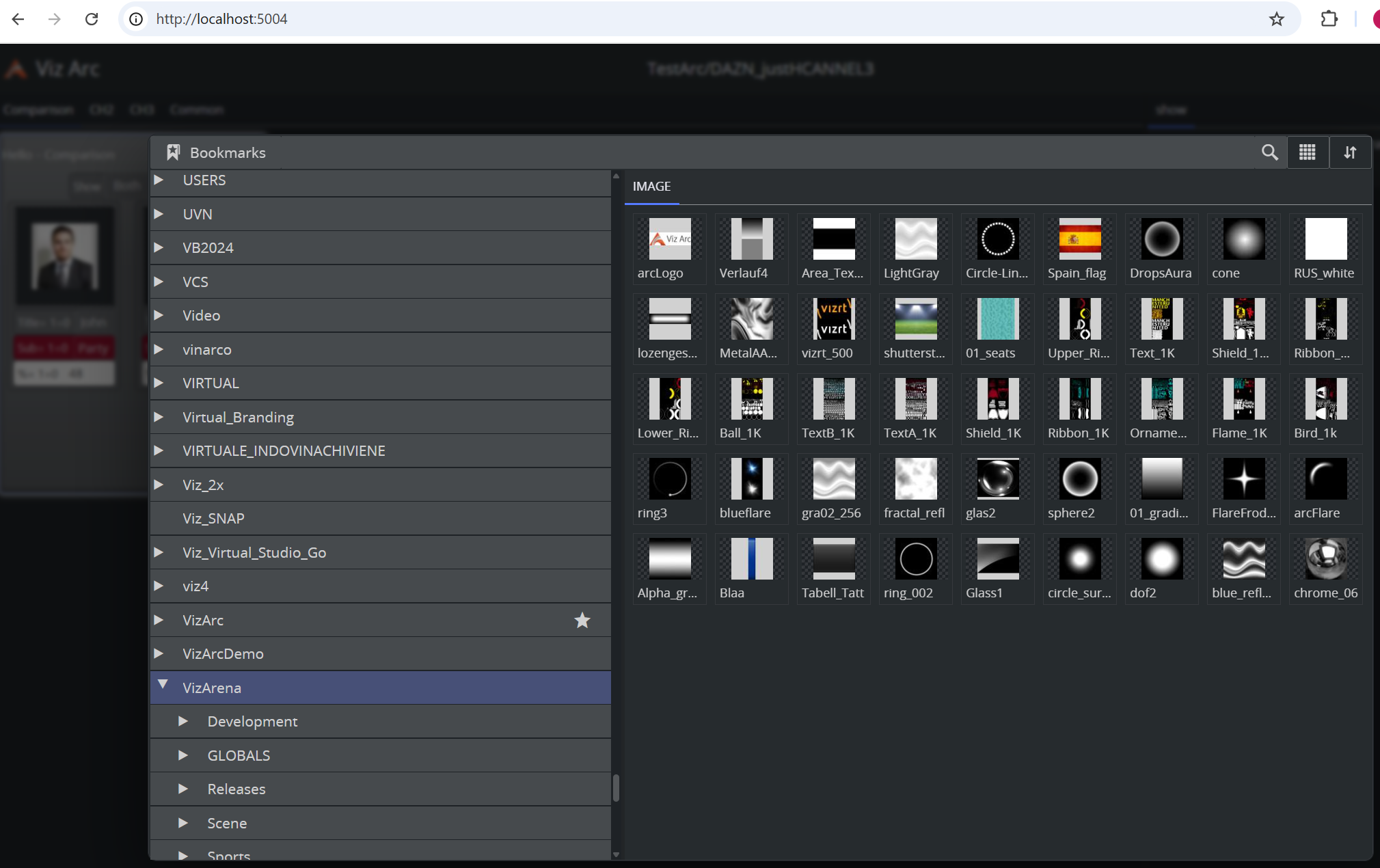
Support for templates in web view. Templates are fully operational from the web view.
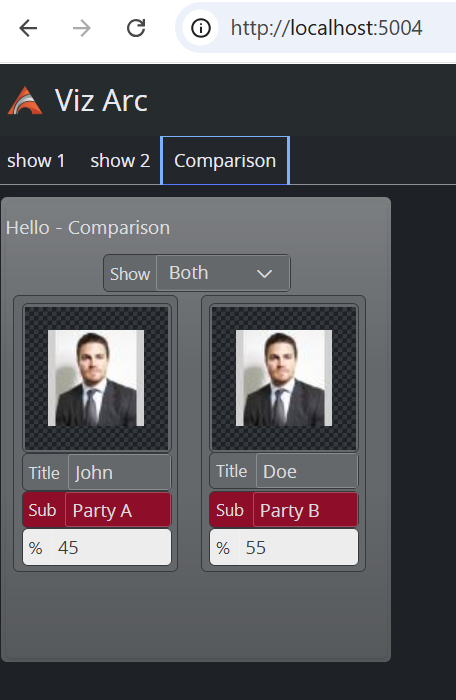
Assets can be browsed with a built-in asset browser from the web view.
Companion Module
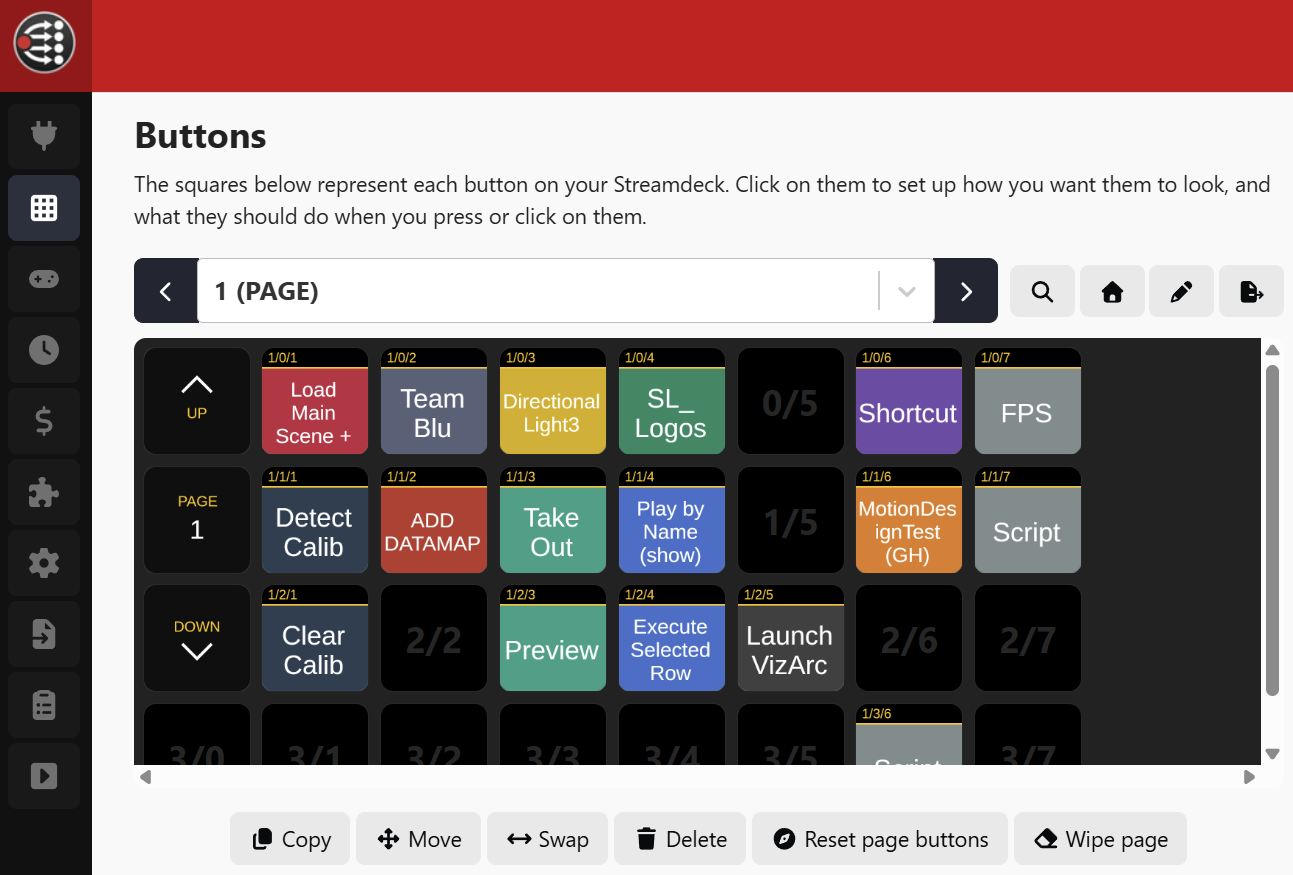
A module for Bitfocus Companion is available and allows triggering actions and much more, similar to the Elgato Streamdeck integration.
PDS Integration
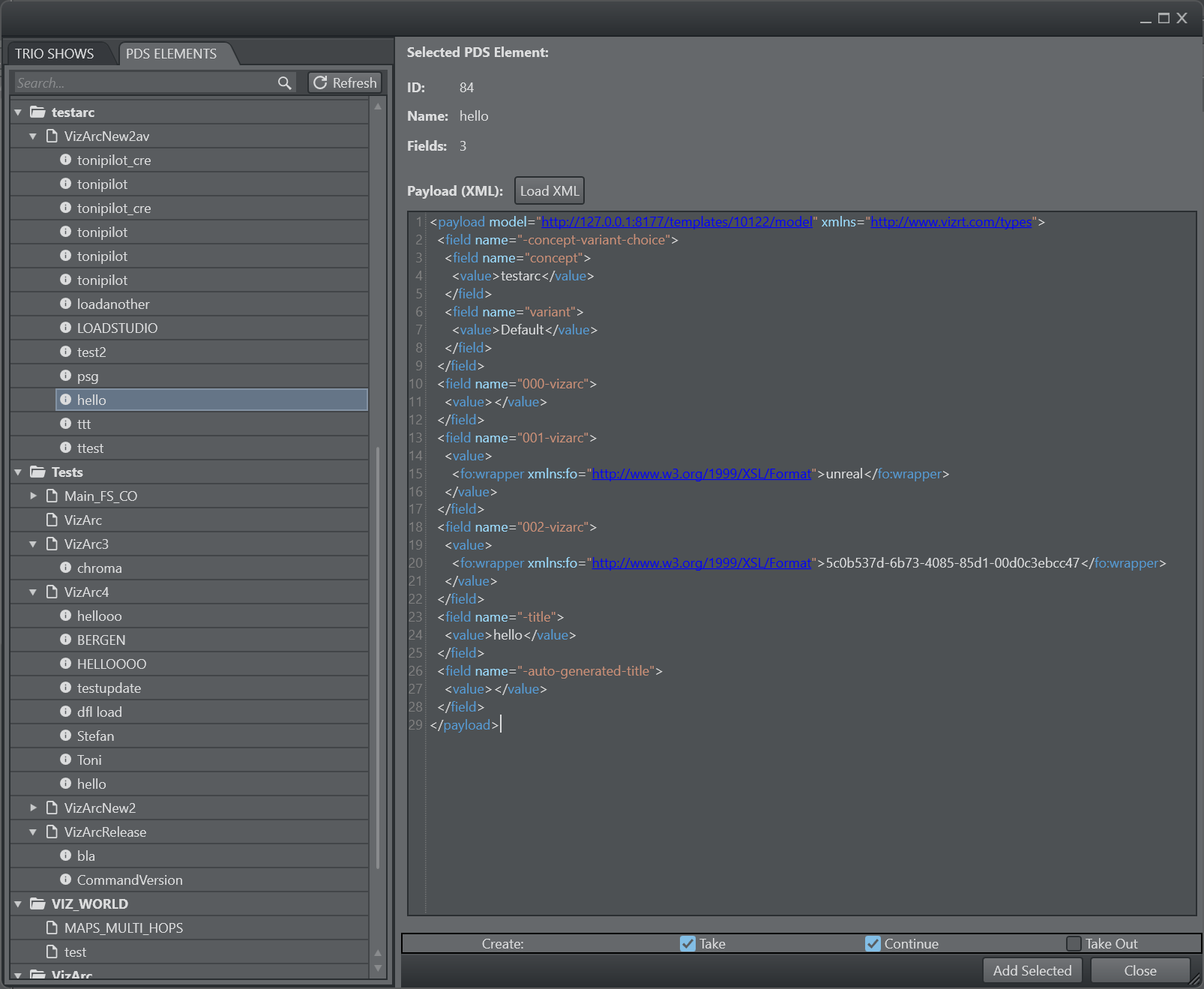
Just like for Trio pages, the new Pilot Data Service integration allows to trigger Viz Pilot Data Elements from Viz Arc.
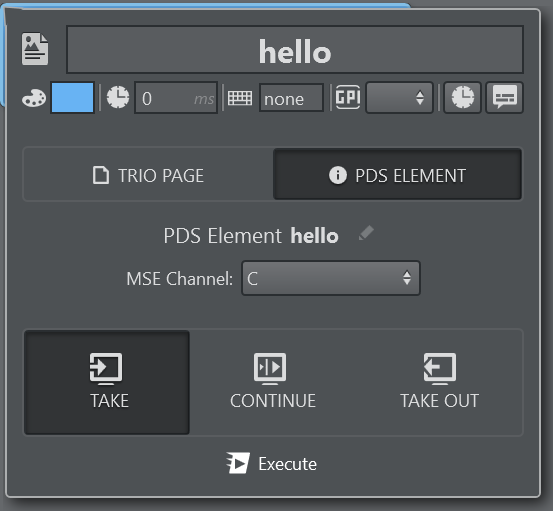
Take, Continue and Take Out can be triggered on any configured MSE Channel.
The integration needs a running Media Sequencer Engine and Pilot Data Server to work.
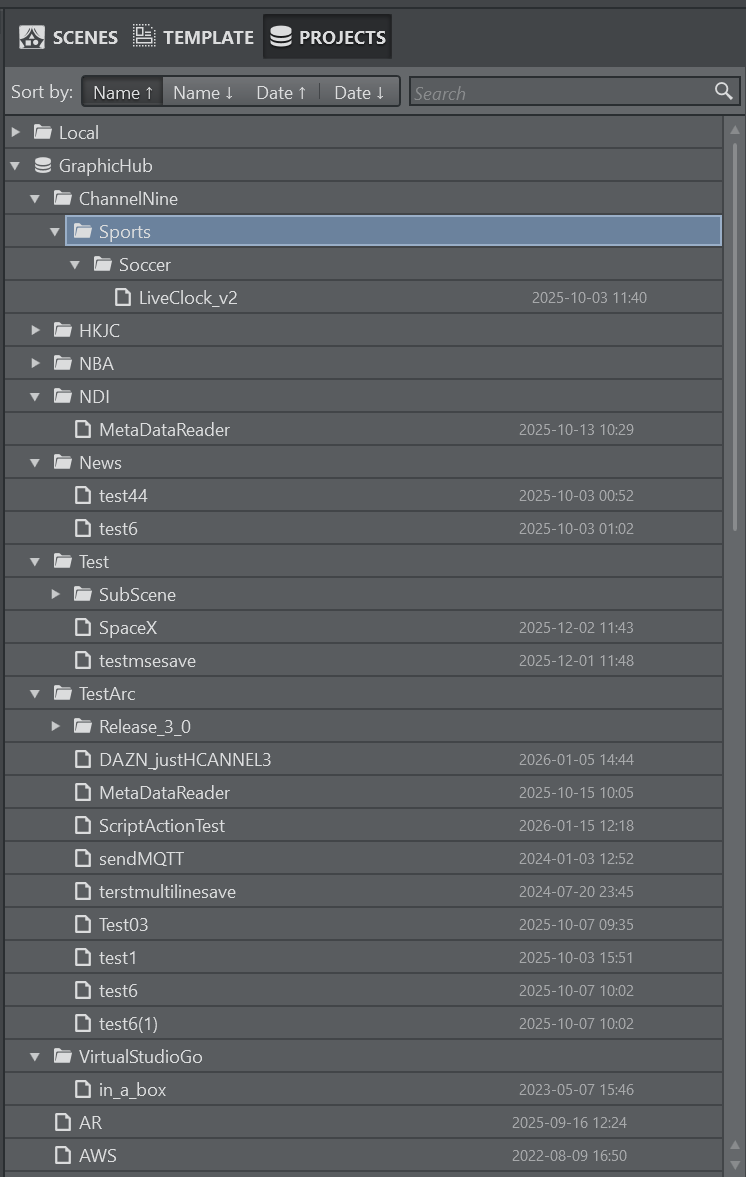
Hierarchical Project Structure
Projects can be stored in hierarchical structures on the Graphic Hub. Projects can be easily renamed and moved.
Fixed Issues
When duplicating a panel parameter with children, not all children are duplicated (ARC-862).
File parameter ‘WatchFile’ property switching ignored during runtime (ARC-859).
Horizontal splitter on Viz Arena view was not functioning properly (ARC-881).
Upgrade Viz Arc through the bundle installer did not work properly (ARC-853).
Breaking Changes or Deprecated Functionality
The Loupedeck plug-in shipped in this version, is not compatible with Loupedeck Software versions lower than 6.1.4.22646. If upgrading is not possible, it is recommended to continue with the old plug-in, since it is still compatible with this version.
You must upgrade the external Stream Deck plug-in shipped with this version in order to continue to use the external Stream Deck control. Old Stream Deck profiles continue to work with the new plug-in.
The default file location for the configuration and log files, is no longer in C:\ProgramData\vizrt\VizArc. The location of those files is in %localappdata%\vizrt\VizArc and depends on the logged user.
Known Issues
When using Bing Maps, you need to provide your own Bing Maps API key.
When using the Viz Arc Engine Service with different privileges than the Viz Engine, the rendered Unreal image might not get updated in Viz Engine. Make sure both processes are started with the same user privileges.
Compatibility Notes
Viz Arc 3.0.0 is compatible with:
Product | Version |
|---|---|
Viz Engine | 3.12 and newer, Viz Engine 5.x |
Viz Virtual Studio | 1.1.0 and newer |
Unreal Engine | 5.4.x, 5.5.x, 5.6.x, 5.7.x |
Graphic Hub REST | 2.5.0 and newer Support for File Collection file types (Unreal Projects) requires version 2.9.2 |
Loupedeck | 6.1.4.22646 and newer |
Media Sequencer | For the Viz Mosart integration, 5.5 and newer. Otherwise 5.1.3 and newer |
Viz Mosart | 5.3 and newer |
Coder | 2.3.1 and newer |
Viz Pilot Data Server | 9.0 and newer |
Viz Pilot Edge | 3.0 and newer |
Media Service | 2.3.3 and newer |
Viz One | 7.1.0 and newer |
Viz Object Tracker | 1.5 and newer |
Viz Arena | 5.1.0 and newer |
Documentation
Documentation for Viz Arc is available at the Vizrt Documentation Center:
Support
Support is available at the Vizrt Support Portal.