The Cluster and Health sections give operators and support a read-only window into the running installation. You don't need them for day-to-day VAM use.
Cluster
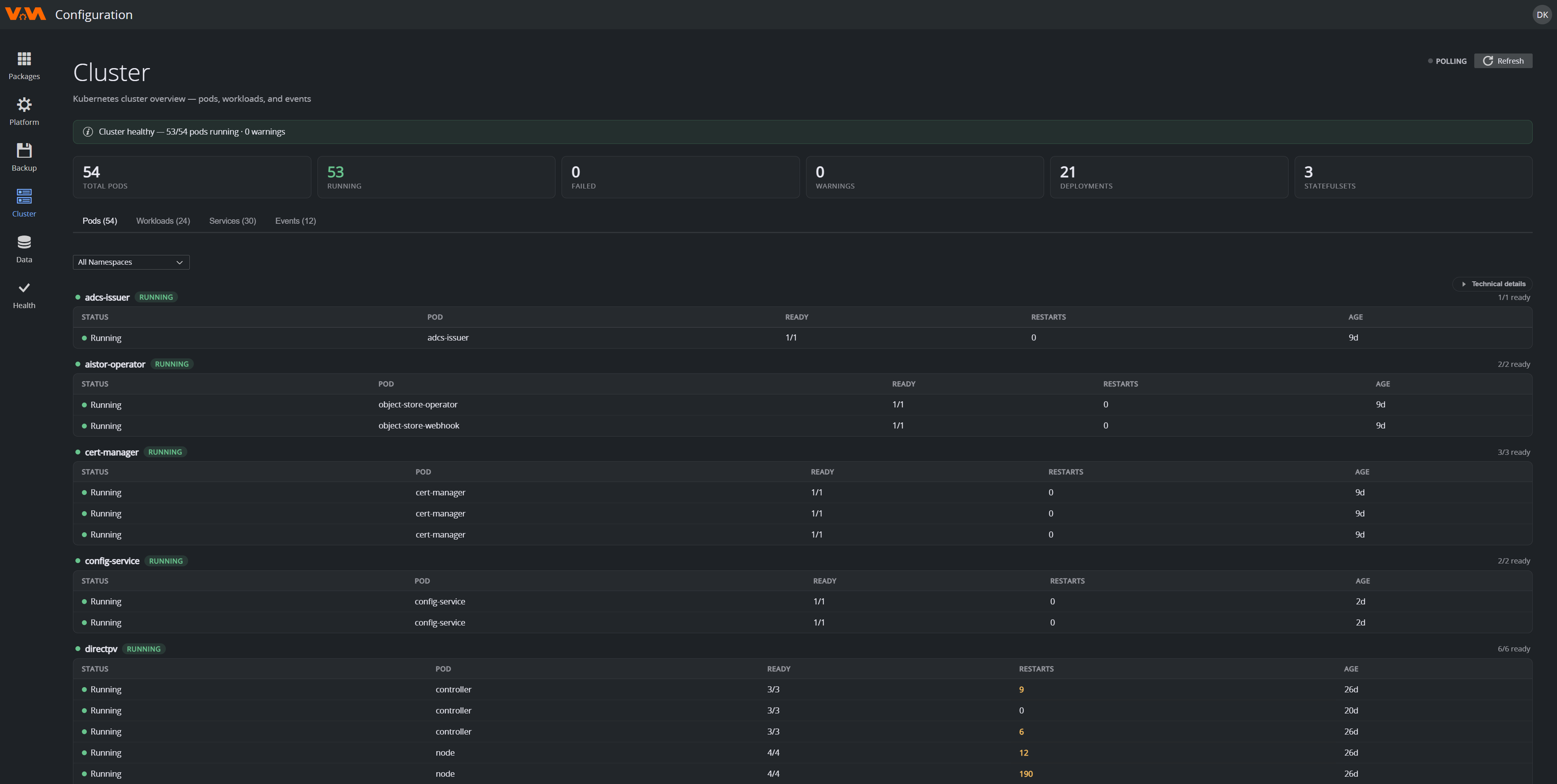
Cluster in the navigation is a live view of the Kubernetes cluster that hosts VAM. The header summarises total pods, running, failed, warnings, deployments and statefulsets, with an overall "Cluster healthy" banner. It refreshes automatically (live), and there's a Refresh button.
Tabs:
- Pods: every pod (filterable by namespace), grouped by workload, with ready count, restart count (non-zero is a warning sign) and age. A Technical details expander shows more.
- Workloads: deployments / statefulsets / daemonsets.
- Services: Kubernetes services.
- Events: recent cluster events.
Healthy looks like: all workloads green, zero pods in CrashLoopBackOff / ImagePullBackOff / Failed and only a few short-lived Pending pods during upgrades.
Health (System Health Check)
Health runs a coordinated health scan across the whole installation — the same kind of check the installer runs after deployment, available on demand. Click Run Checks.
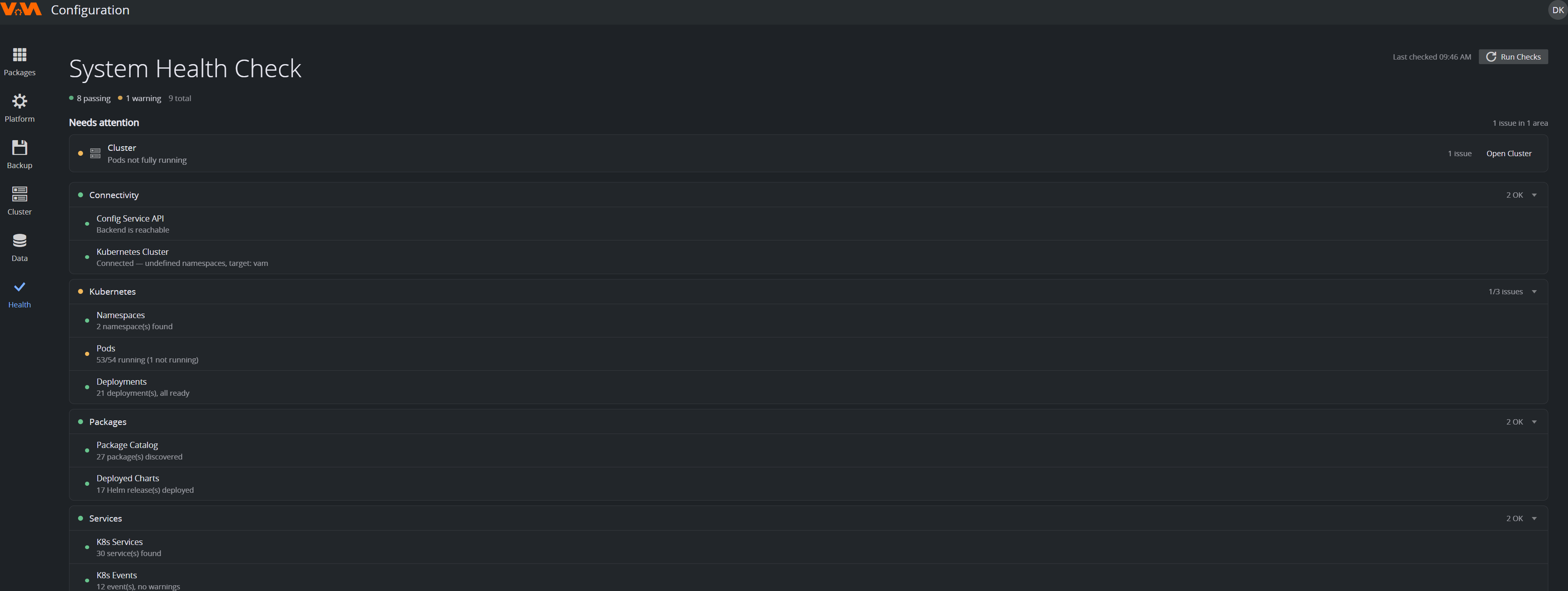
Results are grouped into areas — Connectivity, Kubernetes (namespaces, pods, deployments), Packages and Services — each shown as OK or with a count of issues, plus a Needs attention summary at the top that links straight to the relevant area (for example, Open Cluster).
Run it after any upgrade or configuration change, when a user reports an issue you can't reproduce and before opening a support case.
When to Escalate
Open a support case if any of these are true:
- A node has been Not Ready for more than ~15 minutes and a restart doesn't fix it.
- A pod is in
CrashLoopBackOffand its logs don't explain why. - Health-check failures persist after applying the suggested remediations.
- The whole Configuration Service is unreachable.