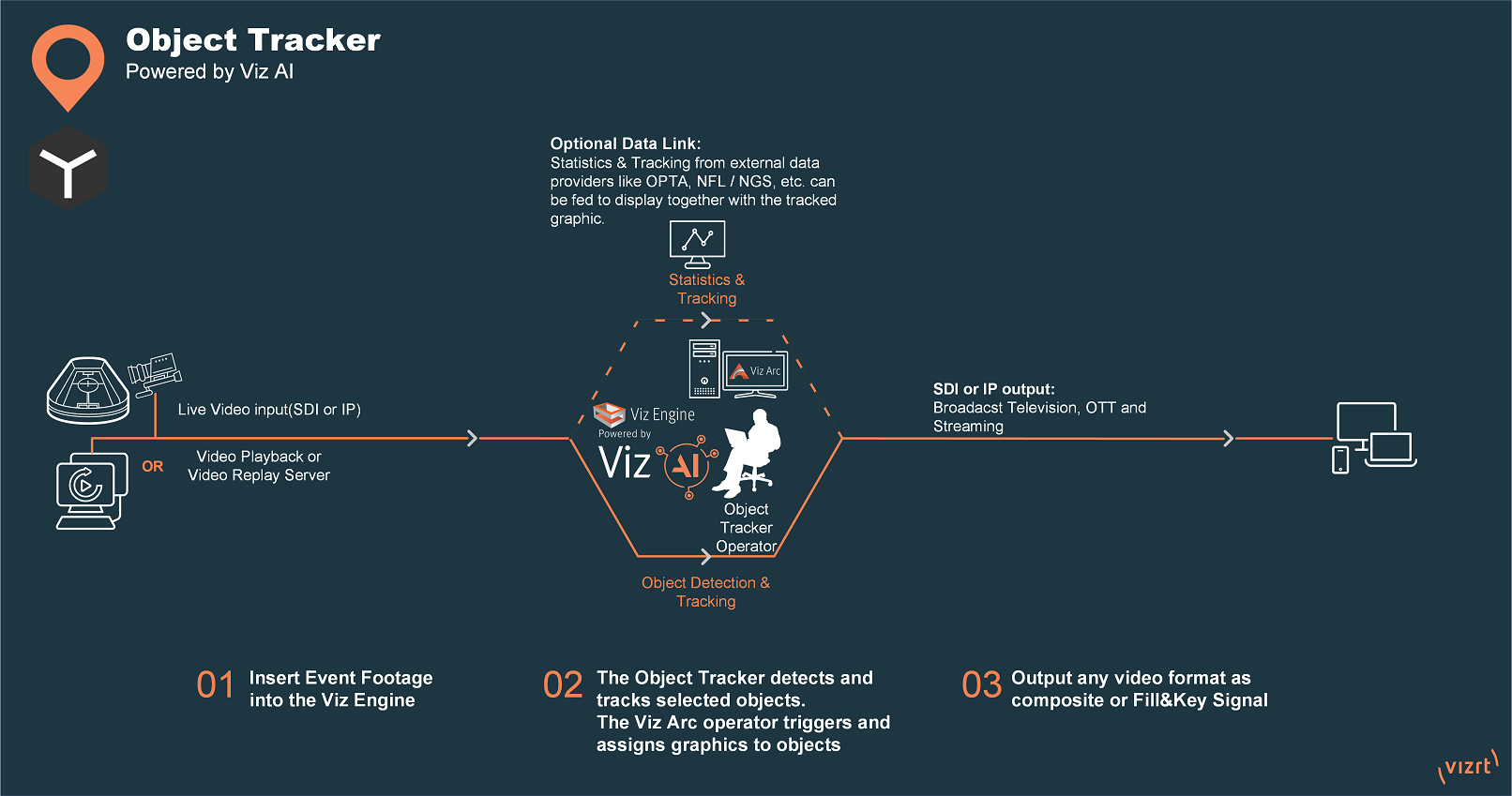
Object Tracker allows tracking individual or multiple objects within a video to focus on the key parts of the action. This fully software-based and only requires video input.
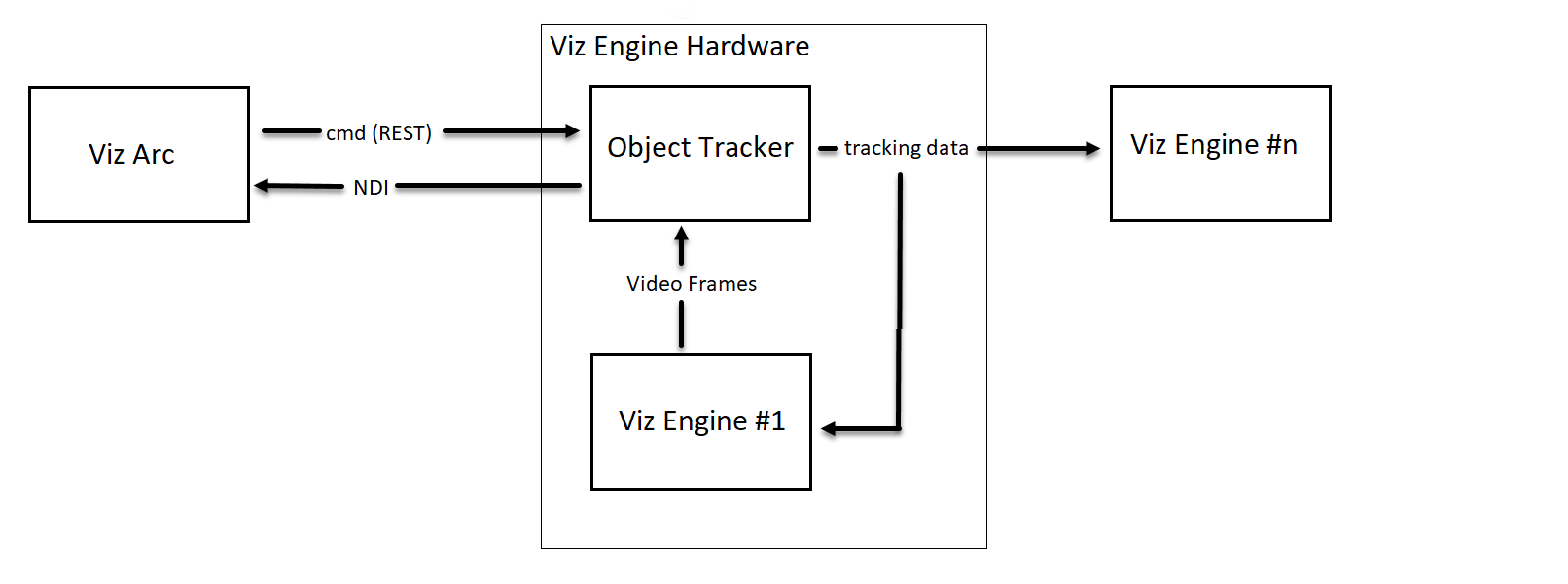
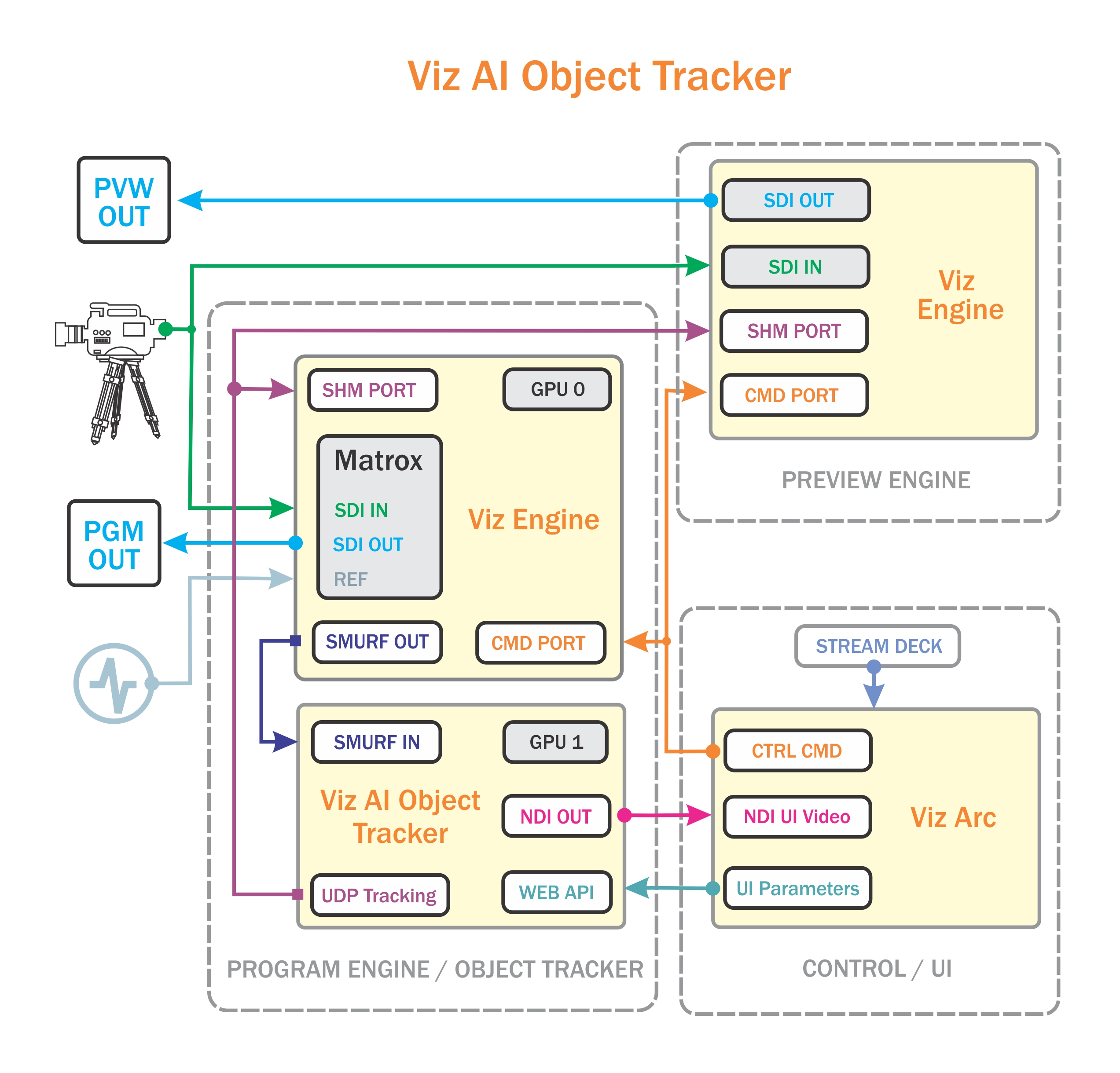
The overall system is composed of at least two machines, one running the Viz Engine and the Object Tracker and another running Viz Arc as the control application.
Viz Engine: Any signal connected to the Viz Engine (for example, live SDI input, clip channel input) can be exposed to the Object Tracker where it gets processed.
Object Tracker: The Object Tracker detects objects on the image stream from the Viz Engine and outputs an NDI stream of the stream and attaches the results as metadata information on each NDI image frame.
Viz Arc: Viz Arc is the front end to the Object Tracker where the NDI is displayed with the respective metadata containing the detected objects. A user can select an object to be tracked. A REST command is sent to the Object Tracker to start the tracking on the selected object resulting in the generation of tracking data through Tracking Hub.
Tracking Modes
Detection and Tracking — Object Tracker automatically finds objects in the video and draws a box around each one. Click a box to start following that object, and it keeps up automatically from there.
2D Pose Tracking — Works the same way, but instead of a box it follows a person's pose — the position of their head, arms, legs, and so on.
Detection and Segmentation — Instead of a box, Object Tracker outlines the exact shape of each detected object. If nothing is selected, every detected object is outlined; select one or more and only those stay outlined.
Simple Tracking — Click any point in the video and Object Tracker follows it, without needing to recognize a known type of object first. Good for quick, one-off tracking, but it can lose the target if something blocks the view.
Manual Tracking — A fallback for when the other modes can't keep up: hold the mouse button down to track, release to stop.