AI Keyer 1.0.0
Release Date: 2026-03-24
These are the release notes for AI Keyer version 1.0.0. This is the first release of AI Keyer.
Features
Greenscreen-less
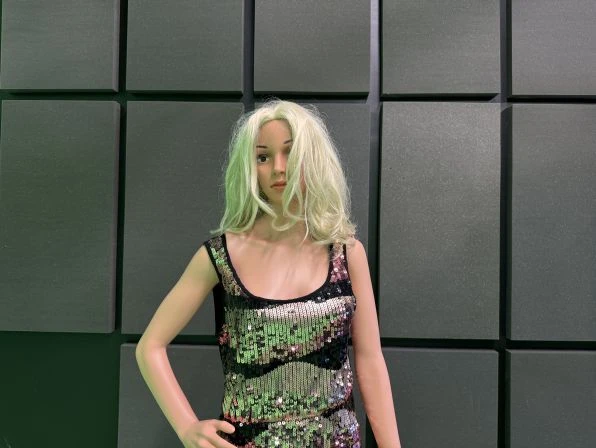
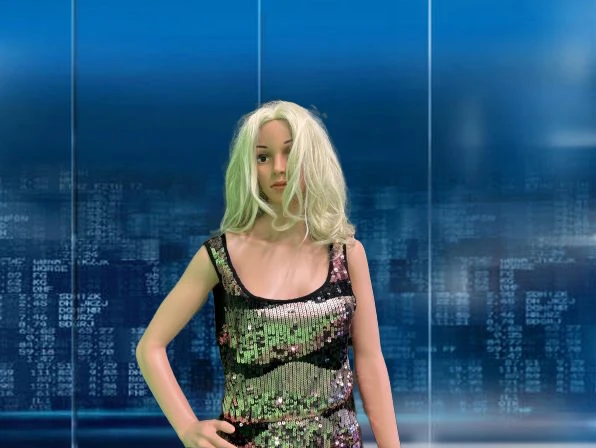
The Vizrt AI Keyer removes the need of a green screen to accurately move talent(s) from a real to a virtual set, or to augment a scene with AR elements. The following lists of features and limitations further elaborate on the scenarios the AI Keyer was trained (and not trained) for. This version comes with three modes, a Standard and two Wide variants, Wide1 and Wide2, where the difference lies in the supported zoom ranges (field of view) of the cameras.
 |  |
Portrait and Full Body Shots
People are recognized by the AI Keyer in both portrait and full body view.
Multiple Talents
The AI Keyer recognizes multiple talents or groups of persons.
Clothing
The AI Keyer supports a variety of casual, business and elegant looks.
Generalization
The AI Keyer has been extensively trained on a significantly broader and more diverse dataset. It delivers reliable, high‑quality results across a wide range of appearances, covering different genders, ages, and skin tones, ensuring consistent performance for all users in all scenarios.
Holding Objects
Common objects such as microphones, headsets, or bags are recognized as part of the foreground while being held or worn by the person. In contrast, when in isolation, they are treated as part of the background.
Broadcast Formats
All common broadcast formats are supported such as 720p, 1080i, 1080p, and 4K (including HDR).
Known Limitations
Animals
Animals were not considered for this version of the AI Keyer.
Extreme Framing
The talent(s) must be reasonably framed. In full body views, the talent(s) must cover at least one third of the frame height. In portrait views, the talent(s) head must not cover more than a third of the frame height. The Wide variants of the keyer extends the support in full body views for talent(s) that cover only a fifth of the frame height while being slightly less accurate for close up shots.
Extreme Movement
The keying quality suffers in case of extreme movement of the talent with respect to the camera framing.
Out of Focus
If a talent is not in focus (for example, appears blurry), they can potentially be merged with the background by the AI Keyer.
People in Background
In scenarios with multiple people, they should all stand at a similar level of depth to be considered as foreground. The AI Keyer is trained to put people in the background if they stand significantly behind the main person(s). Since the Wide variant is trained to put people further away into foreground, it should not be used for scenarios with people in background.
Reflections
Crisp and strong reflections of talent(s) could be misinterpreted as foreground.
Transparent Objects
Transparent objects such as a drinking glass (when held by the talent) could be keyed into the background if the background is shimmering through too strongly.
Unrecognized Objects and Patterns
The AI Keyer is trained on a large and diverse dataset; however, there can be objects or patterns that have not been seen during training which could potentially confuse the AI Keyer.
Little Background Difference
If the talent(s) look too similar to the background (for example, the talent wearing white clothing in front of a white wall), the AI Keyer might confuse portions of background and foreground.
Aspect Ratio Different from 16:9
Broadcast formats with a different aspect ratio than 16:9 still function, but at a qualitative cost.
Documentation
Documentation for AI Keyer and related products are available on the Vizrt FTP and on the Vizrt Documentation Center:
Support
Support is available at the Vizrt Support Portal.