
The Viz Virtual Studio 1.9.0 release focuses on new tools that assist the operator during setup, especially when setting up XR sets.
The main new features in this release are:
Video Wall Editor
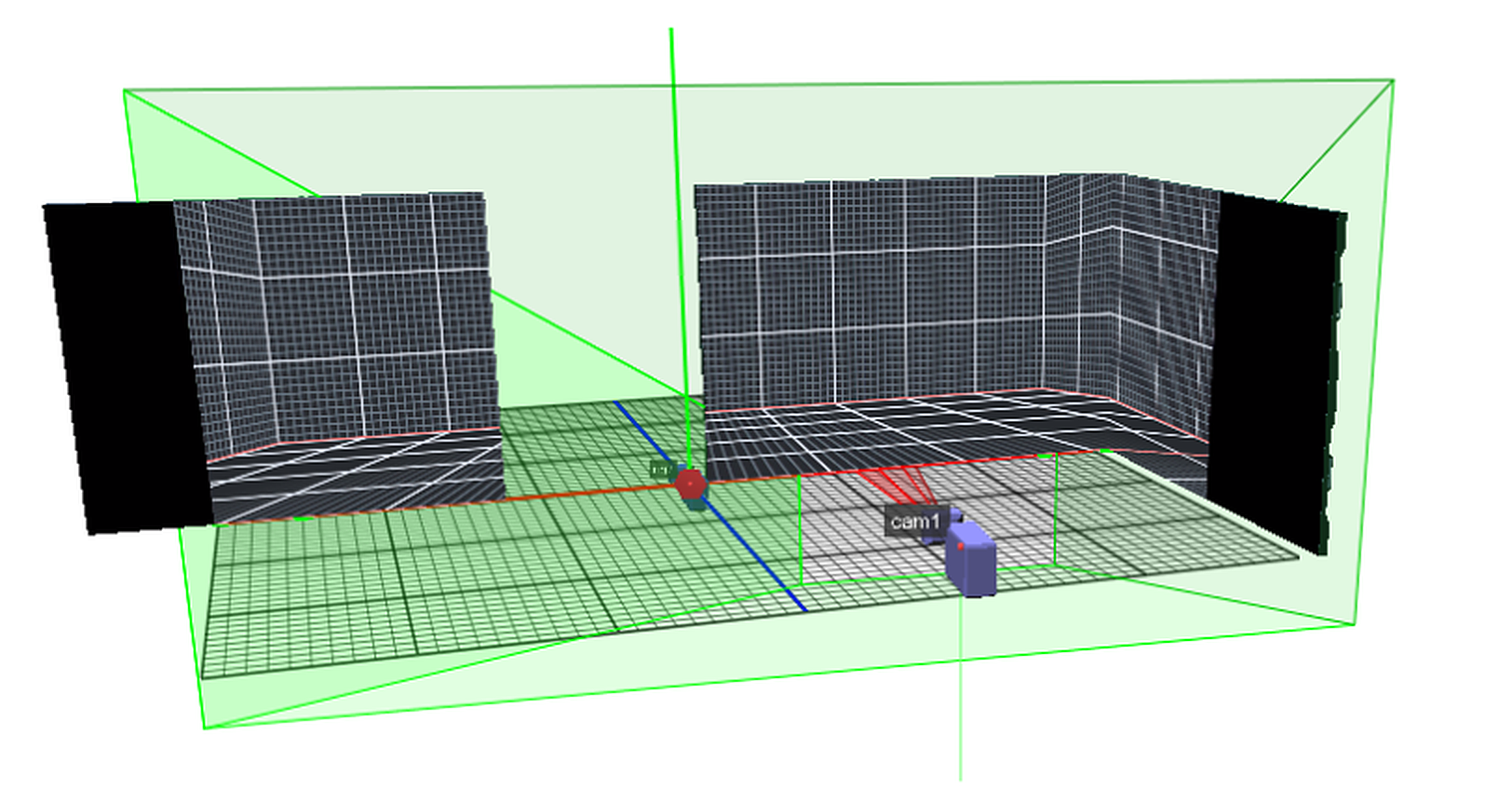 | Viz Virtual Studio 1.9.0 introduces a new Video Wall Editor for setting up video wall geometries, especially for XR sets. It creates the video wall scenes in Viz Engine, as well as test scenes for easy alignment adjustments.
|
Engine Color Correction
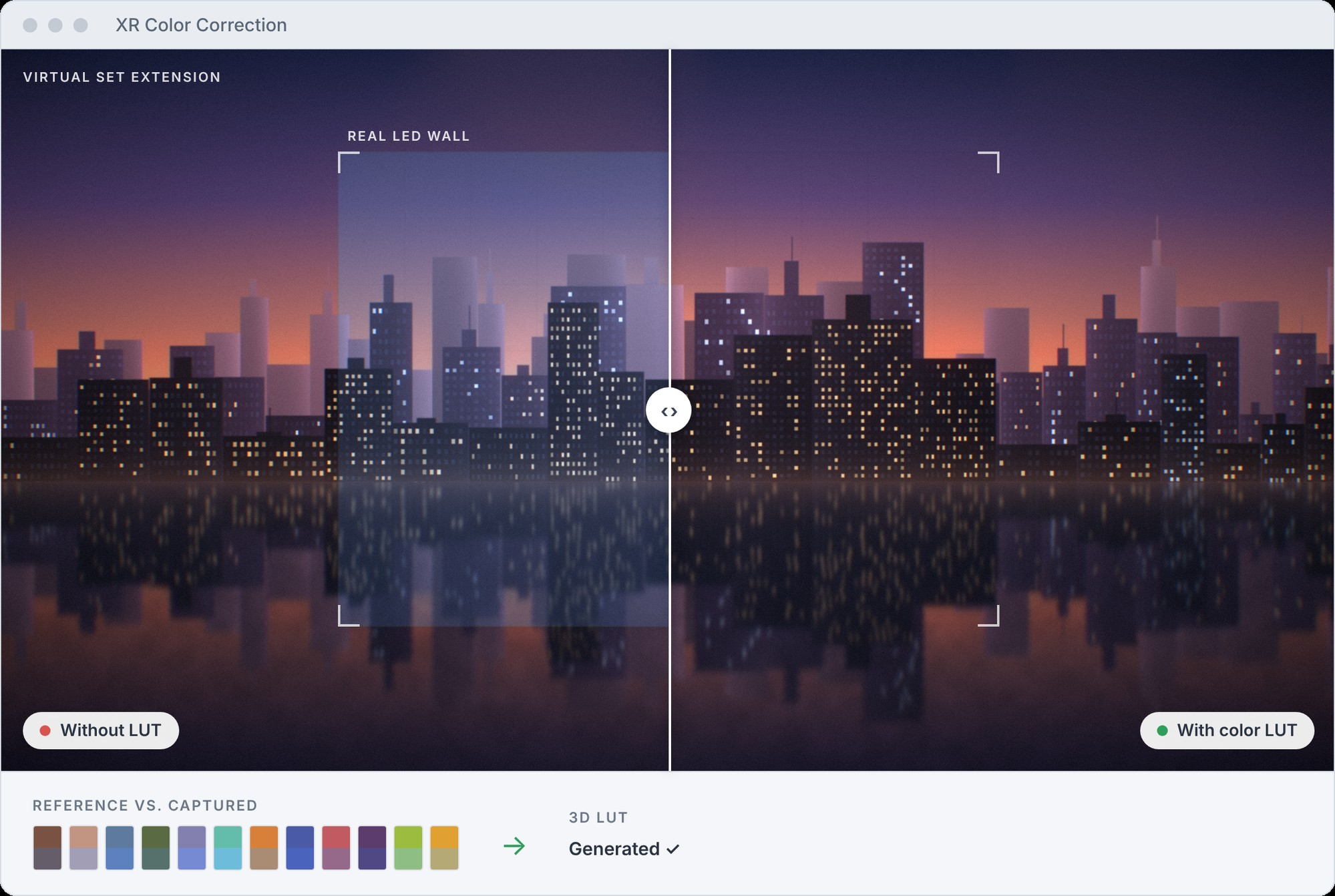 | A new tool creates automated color correction look-up tables (LUTs) for Viz Engine scenes. XR engines can adapt to the color space of the real video wall, giving a seamless transition between the real and the virtual extended set.
|
Data Viewer & Diagnostics
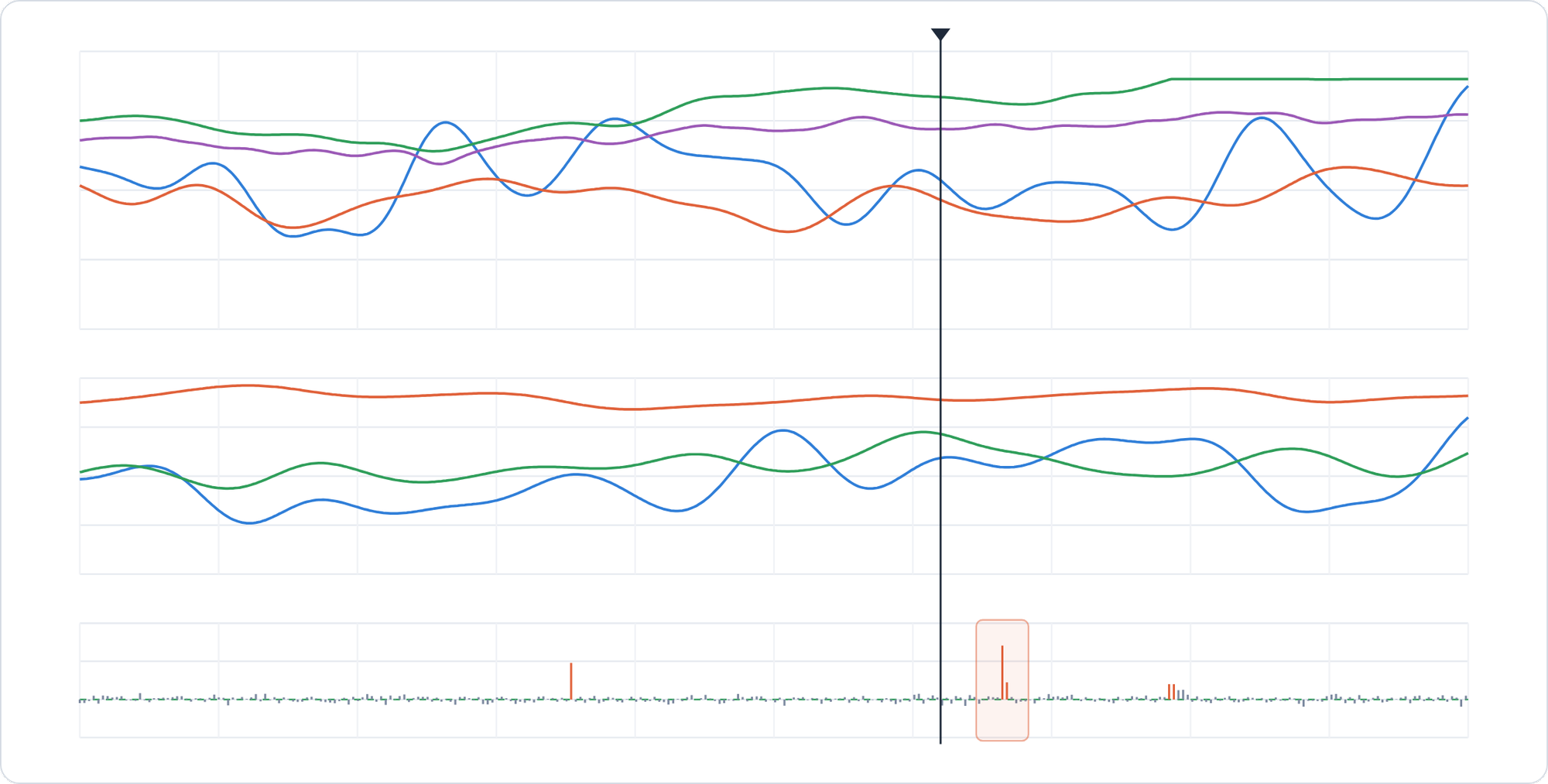 | Tracking analysis and troubleshooting tools are now combined in the Data Viewer.
|
Other Improvements
Lens calibration: An in-progress calibration can be saved and loaded again later. Reference points can be adjusted and individual lens points reset. The Lens Tool has four more targets, and printed target sizes are kept. Lens data dumps are on by default, cleaned up automatically, and can be deleted manually.
Services: Camera services can be renamed and filtered. Hostnames are shown in the service views, and the service status display is clearer.
Perspective view: The camera can be controlled with the mouse, including scroll to translate.
Stability: Loading a configuration shows a busy indicator, and removing services is faster. Fixed a crash when deleting presets, plus several smaller UI fixes.