From version 1.2, Channel Recorder supports recording input and output signals from Viz Engine. This feature is controlled by the parameter AliasNodeSource in the configuration.

The possible values are:
INPUT: Attempts to record directly from the configured Viz Engine input connector. This is a way to share the same connector both in Viz Engine and Channel Recorder.
OUTPUT: Attempts to record directly from the configured Viz Engine output connector.
The execution order of the applications is very important. To capture from Viz Engine, this must be executed before Channel Recorder.
Other things to take into account:
The write-to-read delay of the node to be read must be larger than
0.For this, Viz Engine must be configured with
Matrox.InputHost = 1.
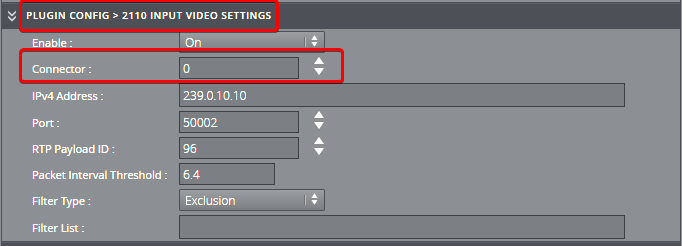
When Viz Engine uses a 2110 board, it is possible that the video, audio, and ANC connectors do not share the same numerical value. To be able to record from the same inputs, Channel Recorder can be configured using different numerical values for each video, audio, and ANC stream. This is done by using the Connector configuration located in each stream section. When this connector, for each stream, is configured, then the main video input connector option is ignored. Example of the connector for the video stream in the GUI: