
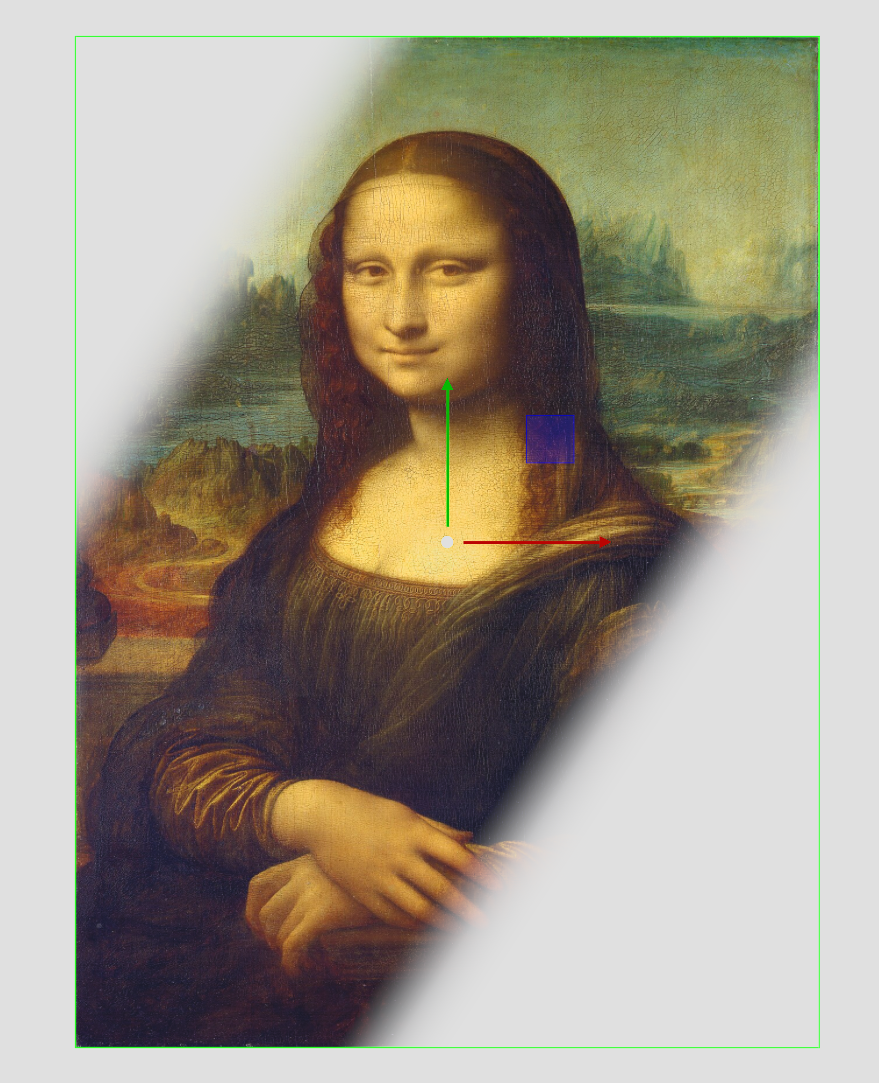
The Soft Mask plug-in applies a soft mask to an object (for example, image or geometry).
Note: This plug-in is located in: Plugins -> Shader -> Effects
Supported Pipelines | |
|---|---|
Classic Render Pipeline |
|
Viz Engine Render Pipeline |
|


Upgrade information: This plug-in needs to be re-applied when converting from existing Classic Render Pipeline scenes to the Viz Engine Render Pipeline.
Soft Mask Properties
Input (VER pipeline only): The source image the affect should be applied on.
Progress: Moves the mask perpendicular to the mask direction. Default is
0.0and is based on the configured center position.Rotation: Rotates the mask around the center.
Keep Aspect (Classic only):
Center X and Y: Defines the X and Y position of the center of the mask.
Gradient Width: Sets the size of the gradient.
Invert: Inverts the mask.
Mirror Gradient: Mirrors the mask on both axis.
Blank: Offsets the area that should not be affected by the mask.
Tracking: Allows the progress to be controlled by a tracked Container to build the progress animation easier. Drag a Container to the drop zone.