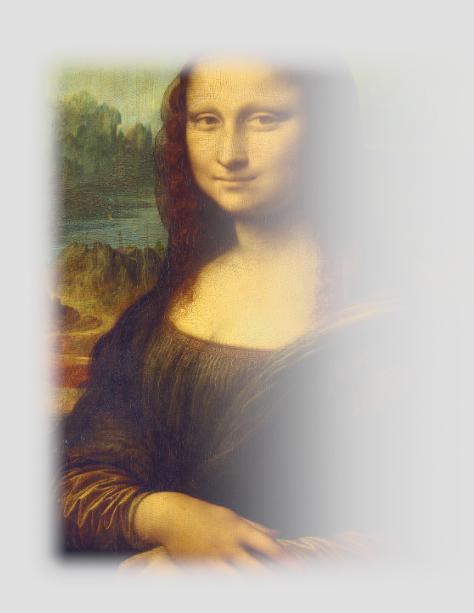
The Frame Mask plug-in adds a framed mask around an object (e.g. image or geometry). In the properties, the aspect ratio can also be set.
Note: This plug-in is located in: Plugins -> Shader -> Effects
Upgrade information: This plug-in needs to be re-applied when converting from existing Classic Render Pipeline scenes to the Viz Engine Render Pipeline.
Supported Pipelines | |
|---|---|
Classic Render Pipeline |
|
Viz Engine Render Pipeline |
|

Frame Mask Properties
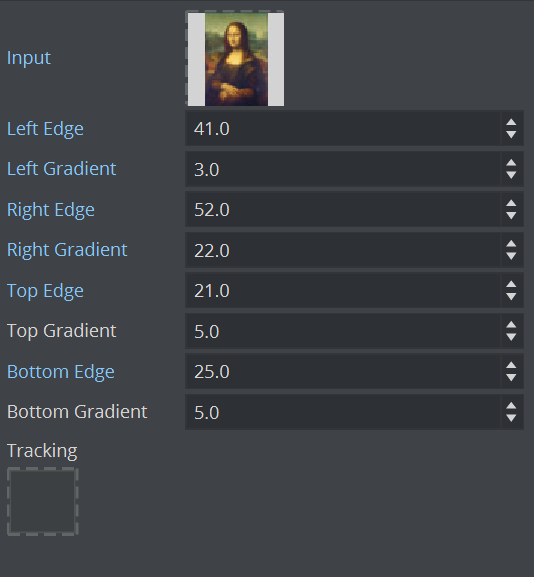
Target (VER only): The image the effect should be applied on.
Left, Right, Top and Bottom Edge: Sets the tracked borders (see also Tracking).
Left, Right, Top and Bottom Gradient: Sets the gradient from the edge of the frame to the edge of the object.
Aspect Ratio (Classic Only): Sets the aspect ratio (16:9, 4:3 or Custom), if required (default is
Off).Custom: Uses to set a custom aspect ratio (for example, 1.85:1 or 2.39:1).
Tracking: Uses a Container to track the location of the actual frame mask instead of animating all tracked borders manually. Drag a Container to the drop zone (1):